
Annotation and citation
This page has four parts, in the order you use them. Part 1 is what you need to know. Part 2 says what to do, in plain English. Part 3 shows the work done once on a case that is not yours. Part 4 is your own work and where to turn it in.
Open your materials, follow the steps, then turn in your work.
Evaluate two credible sources about emergency-care delays, summarize one and cite both in APA style.
Optional: listen or watch a unit review▸
Part 1 of 4 · Background and definitions▸
💡 Big idea: Summarize one source accurately and cite both so a reader can check them. A credible-looking citation does not prove a claim.
- • A scientific journal article and a news article are different required source categories.
- • A summary states an original source's central meaning in your own words.
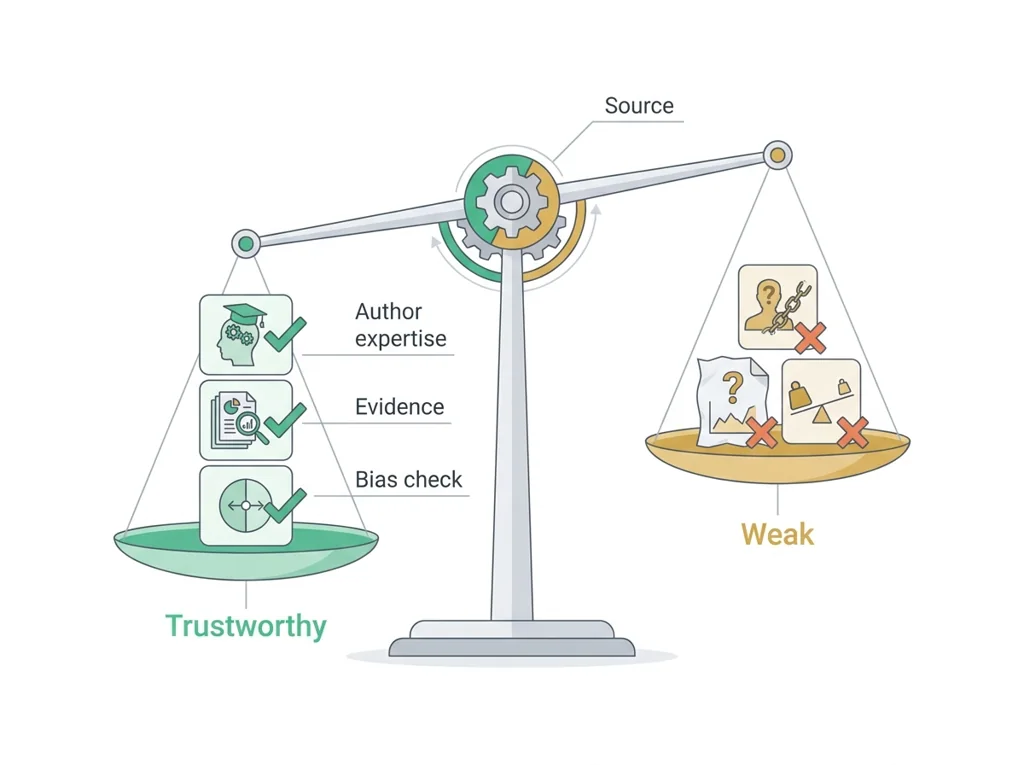
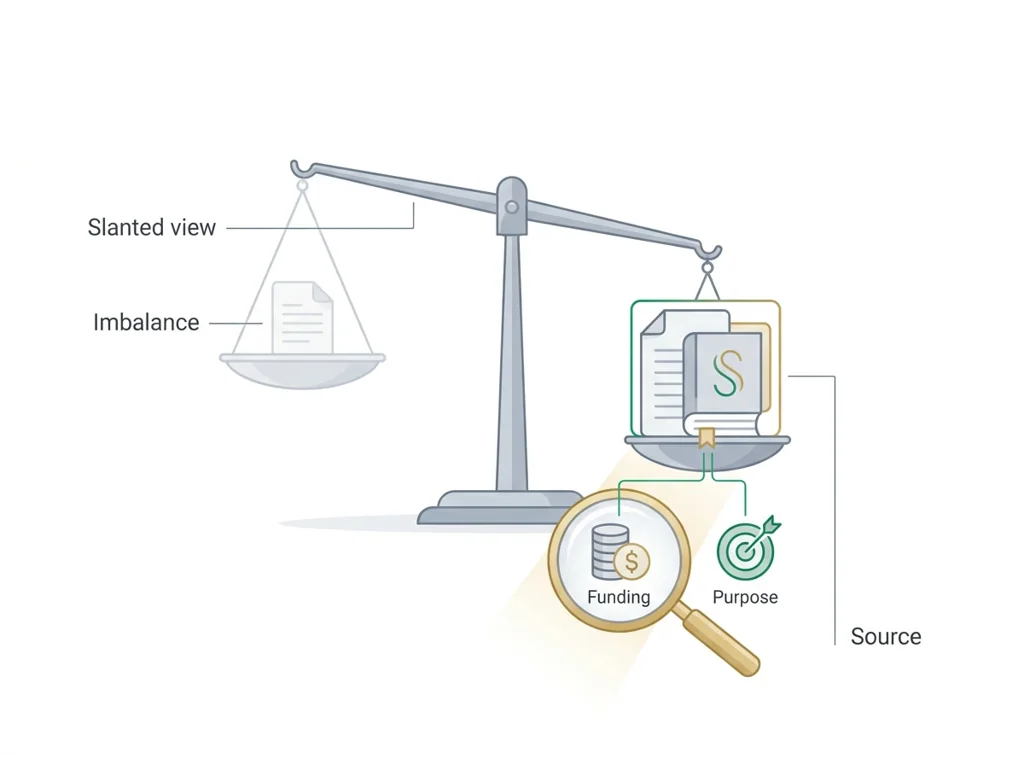
- • Credibility checks examine author, purpose and content; a citation identifies the source.
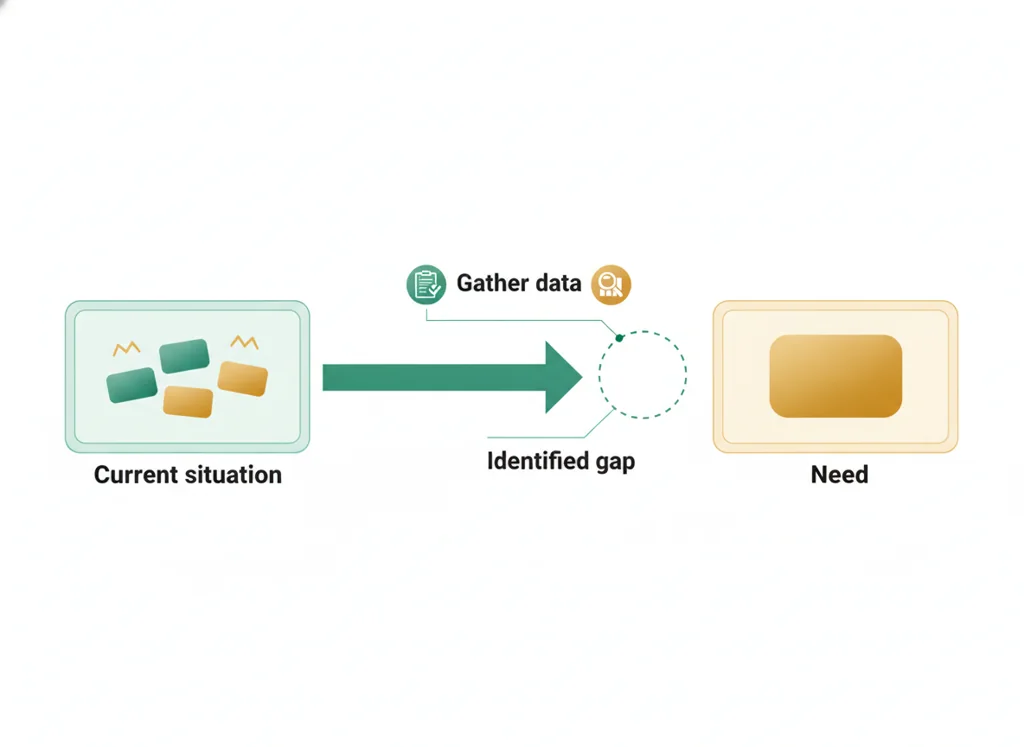
A useful design problem names the step, the observable difficulty and the affected need, while keeping the evidence limit visible.
Summarize one source accurately and cite both so a reader can check them. A credible-looking citation does not prove a claim.
Driving question: How can a reader check the source behind your explanation?
What you already know: Mission File 1 frames the mission around a fictional patient whose emergency care came too late. Your innovation team investigates delays in , waiting, layout, staffing or equipment and proposes a more efficient emergency department. Open the original brief in myPLTW before class; if it cannot be reached, ask your teacher for the printed brief. No additional age, diagnosis or timeline is supplied here. Choose two credible sources: one scientific journal article and one news article. Summarize one source using the assigned Summarizing Guidelines. Cite both in APA style using Citing Sources. Put the typed summary and citations in your laboratory notebook and attach the summarized article. Submit the same work to Wk4 Lab notebook: Annotation and citation, assignment 8544611457, by the end of this class period. If a mission brief, required guide or original article will not open, tell your teacher which one you need. You can identify the summary, relevance and citation parts in the supplied different-topic model while you wait. Do not invent article details or copy the model as your research. Save what you have; this short format check is not the completed assignment or a full-period replacement.
New idea: Summarize one source accurately and cite both so a reader can check them. A credible-looking citation does not prove a claim.
Visual or model: F1. Original writing guide, not an article or a completed research record. What to notice: Two selected sources, one summary, two APA citations.
F1. Notebook research guide
Both sources: APA citations checked against their originals.
One source summary
Summarize one selected source using the assigned guide.
Explain the connection to emergency-care delays.
For each source: check author, purpose and content; note supported limits.
Required sources: one scientific journal article and one news article.
Put the work in the same laboratory notebook; no separate guide worksheet is due.
Real-source citation example (optional help)
Parallel topic: vaccine-clinic design, not ER evidence
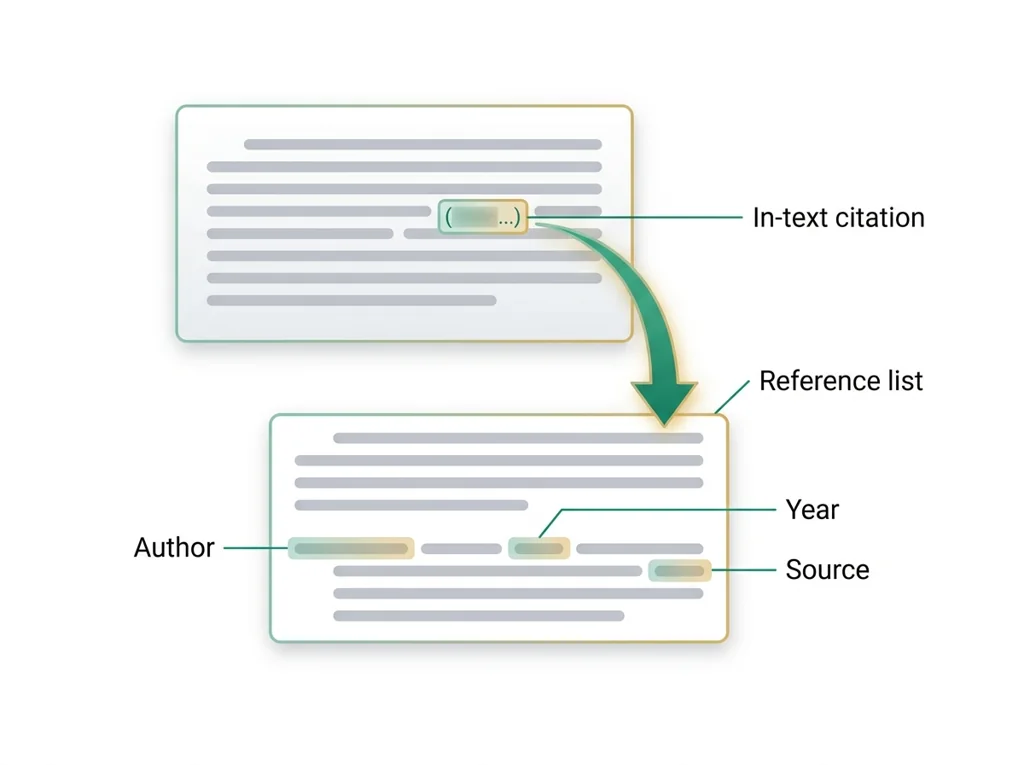
Citation: Gonzales, A. B., Lee, E. C., Grigorescu, V., Smith, S. R., De Lew, N., & Sommers, B. D. (2021, August 27). Overview of barriers and facilitators in COVID-19 vaccine outreach (Research Report No. HP-2021-19). Office of the Assistant Secretary for Planning and Evaluation, U.S. Department of Health and Human Services. https://www.aspe.hhs.gov/sites/default/files/2021-08/Vaccine%20Outreach%20Research%20Report%208-27-2021%20FINAL.pdf
Two-sentence annotation: This 2021 report identifies time, transportation, cost and vaccination-site location as barriers to vaccination access. For a parallel vaccine-clinic design project, I would use these barriers to plan access questions, not as proof that a proposed design works or as evidence about an ER.
Scope check: This is an overview of vaccine-outreach research and programs, not a study of our proposed design. Bias assessment remains open: no bias finding is supplied by this example.
This government report is a different-topic format model. It does not fill either required source category. Select your own journal article and news article about the emergency-services mission; summarize one and cite both.
How to complete an entry
- Open Mission File 1 and the two research guides. Select one credible scientific journal article and one credible news article relevant to emergency-care delays. If a required input is missing, ask your teacher and use only the short model-format check.
- Check each source's author, purpose and content. Explain its connection to the mission. Record a supported limitation when you find one; do not invent a bias finding.
- Summarize one of your two sources in your own words using the assigned Summarizing Guidelines. Use the original article to check accuracy. A format model does not supply your findings.
- Cite both actual sources in APA style using Citing Sources. Check author, date, title and publication details against each original. Do not guess missing information.
- Keep the typed summary, both citations and summarized article together in your laboratory notebook. Submit your notebook research record to Wk4 Lab notebook: Annotation and citation (8544611457) in BI Schoology by the end of class on February 10. If upload fails, save the same work and tell your teacher; do not mark it submitted.
Use your ER brief: Use your two actual sources to explain what is known about emergency-care delays. No findings are supplied by this guide.
What these checks establish: The guide checks the assigned record's structure, not the truth of an unread source.
What it cannot prove: This writing check cannot establish that a source is correct or that an ER design works. The parallel model is not ER evidence.
- • Summary: An accurate account of a source's central meaning in your own words.
- • Citation: Publication details that identify a source and let readers locate it.
- • APA style: The author-date citation style used for this assignment; follow the linked Citing Sources guide.
- • Scientific journal article: An article published in a scholarly scientific journal; identify the journal and article type rather than assuming every item reports an experiment.
- • News article: A reported account published by a news outlet; distinguish reporting from opinion or advertising.
- • Credibility: How well a source's authorship, purpose and supported content justify using it for your question.
- • Relevance: How a source connects to the mission's question.
- • Bias: A viewpoint or influence that may shape what a source includes or emphasizes; support any concern with evidence.
Use it now: Mission File 1 frames the mission around a fictional patient whose emergency care came too late. Your innovation team investigates delays in , waiting, layout, staffing or equipment and proposes a more efficient emergency department. Open the original brief in myPLTW before class; if it cannot be reached, ask your teacher for the printed brief. No additional age, diagnosis or timeline is supplied here. Choose two credible sources: one scientific journal article and one news article. Summarize one source using the assigned Summarizing Guidelines. Cite both in APA style using Citing Sources. Put the typed summary and citations in your laboratory notebook and attach the summarized article. Submit the same work to Wk4 Lab notebook: Annotation and citation, assignment 8544611457, by the end of this class period. This is thinking practice for the one turn-in named under Turn in, not a second submission.
Go further, optional: No additional source or model submission is required.
Summary
With your original available, does the summary of one selected source accurately represent it and follow the assigned guide?
Compare the wording and meaning with that original. If you cannot open it, ask for access rather than invent findings.
Credibility and relevance
For each source, check who wrote it, why it was published and what its content supports about the mission.
Separate evidence from opinion or promotion. A limitation needs a reason from the source; no forced bias allegation is required.
Two APA citations
Can a reader identify and locate both your journal article and your news article?
Use the assigned APA guide and actual publication details. If details are missing, consult the guide or teacher; do not manufacture them.
Today's decision · Source-entry rehearsal
Your role: research writer
Optional rehearsal: Mission File 1 frames the mission around a fictional patient whose emergency care came too late. Your innovation team investigates delays in , waiting, layout, staffing or equipment and proposes a more efficient emergency department. Open the original brief in myPLTW before class; if it cannot be reached, ask your teacher for the printed brief. No additional age, diagnosis or timeline is supplied here. Choose two credible sources: one scientific journal article and one news article. Summarize one source using the assigned Summarizing Guidelines. Cite both in APA style using Citing Sources. Put the typed summary and citations in your laboratory notebook and attach the summarized article. Submit the same work to Wk4 Lab notebook: Annotation and citation, assignment 8544611457, by the end of this class period. If a mission brief, required guide or original article will not open, tell your teacher which one you need. You can identify the summary, relevance and citation parts in the supplied different-topic model while you wait. Do not invent article details or copy the model as your research. Save what you have; this short format check is not the completed assignment or a full-period replacement.
- • Open Mission File 1 and the two research guides. Select one credible scientific journal article and one credible news article relevant to emergency-care delays. If a required input is missing, ask your teacher and use only the short model-format check.
- • Check each source's author, purpose and content. Explain its connection to the mission. Record a supported limitation when you find one; do not invent a bias finding.
- • Summarize one of your two sources in your own words using the assigned Summarizing Guidelines. Use the original article to check accuracy. A format model does not supply your findings.
- • Cite both actual sources in APA style using Citing Sources. Check author, date, title and publication details against each original. Do not guess missing information.
- • Keep the typed summary, both citations and summarized article together in your laboratory notebook. Submit your notebook research record to Wk4 Lab notebook: Annotation and citation (8544611457) in BI Schoology by the end of class on February 10. If upload fails, save the same work and tell your teacher; do not mark it submitted.
You may discuss credibility checks with a partner. Keep your own selected sources and your own summary. If you lack an input, discuss the supplied format model only and ask for that input; no extra summary is due.
Response: One notebook research record: a typed summary of one learner-selected source, APA citations for both sources, the summarized article attached, and author/purpose/content credibility checks. Use one scientific journal article and one news article. Submit your notebook research record to Wk4 Lab notebook: Annotation and citation (8544611457) in BI Schoology by the end of class on February 10. If upload fails, save the same work and tell your teacher; do not mark it submitted. Use it inside the one turn-in named under Turn in; it is not a separate submission.
Claim ceiling: This writing check cannot establish that a source is correct or that an ER design works. The parallel model is not ER evidence.
Students often think A citation proves that a source is credible. The trap: Check author, purpose and content against the original. Correct format alone does not establish accuracy.
- CER:
- Claim, Evidence, Reasoning: make a claim, back it with evidence, explain your reasoning.
- SOP:
- Standard Operating Procedure, the exact steps to follow (especially in a lab).
- Tracker:
- Your PLTW progress log where you record completed evidence.
- myPLTW:
- The PLTW course site where you do the online activities. Find it in Clever with your Microsoft sign-in, right next to Schoology.
Tap the speaker to hear a term. Add two of these to your notebook glossary with a definition and an example in your own words.
Pick just 2 or 3 words from today and make them yours: write what each one means in your own words, name the context clue or evidence that helped, then give one example from what you actually did in Annotation and citation. Try your own words first; the glossary is there if you get stuck. This is voluntary and counts as extra credit, so keep it short.
Saved on this device. Show Mr. Mendoza or add these to your notebook glossary to claim the extra credit.
Part 2 of 4 · Directions in plain English▸
2.1 Open your materials
Use the materials named in the first step below. Open lesson resources.
2.2 Start the work
Open Mission File 1 and the two research guides. Select one credible scientific journal article and one credible news article relevant to emergency-care delays. If a required input is missing, ask your teacher and use only the short model-format check.
Show all 5 required steps
- Open Mission File 1 and the two research guides. Select one credible scientific journal article and one credible news article relevant to emergency-care delays. If a required input is missing, ask your teacher and use only the short model-format check.
- Check each source's author, purpose and content. Explain its connection to the mission. Record a supported limitation when you find one; do not invent a bias finding.
- Summarize one of your two sources in your own words using the assigned Summarizing Guidelines. Use the original article to check accuracy. A format model does not supply your findings.
- Cite both actual sources in APA style using Citing Sources. Check author, date, title and publication details against each original. Do not guess missing information.
- Keep the typed summary, both citations and summarized article together in your laboratory notebook. Submit your notebook research record to Wk4 Lab notebook: Annotation and citation (8544611457) in BI Schoology by the end of class on February 10. If upload fails, save the same work and tell your teacher; do not mark it submitted.
Lost your place? If a mission brief, required guide or original article will not open, tell your teacher which one you need. You can identify the summary, relevance and citation parts in the supplied different-topic model while you wait. Do not invent article details or copy the model as your research. Save what you have; this short format check is not the completed assignment or a full-period replacement.
- 0-10Confirm the mission, source types and guides; inspect the different-topic model
- 10-30Select and read a journal article and a news article; begin one summary
- 30-50Finish the one summary and write both APA citations
- 50-65Check both authors, purposes and contents against the mission
- 65-77Assemble the notebook record, attach the summarized article and submit
- 77-80Explain one source connection; finish submission by the end of class
- • Mission File 1 frames the mission around a fictional patient whose emergency care came too late. Your innovation team investigates delays in , waiting, layout, staffing or equipment and proposes a more efficient emergency department. Open the original brief in myPLTW before class; if it cannot be reached, ask your teacher for the printed brief. No additional age, diagnosis or timeline is supplied here. Choose two credible sources: one scientific journal article and one news article. Summarize one source using the assigned Summarizing Guidelines. Cite both in APA style using Citing Sources. Put the typed summary and citations in your laboratory notebook and attach the summarized article. Submit the same work to Wk4 Lab notebook: Annotation and citation, assignment 8544611457, by the end of this class period.
- • If a mission brief, required guide or original article will not open, tell your teacher which one you need. You can identify the summary, relevance and citation parts in the supplied different-topic model while you wait. Do not invent article details or copy the model as your research. Save what you have; this short format check is not the completed assignment or a full-period replacement.
PLTW connection and today's work
Open Activity 1.1.2 Research and Documentation, Scavenger Hunt Research, and Mission File 1.
Today's stopping point: Two sources: one scientific journal article and one news article. Summarize one, cite both in APA style.
PLTW activity titles identify the course connection. If your account will not open, use the posted materials for today and tell Mr. Mendoza. Do not mark an online activity complete unless you completed it.
Course connection
- Activity 1.1.2 Research and Documentation
Use the turn-in directions in Part 4 of this page. Do not create a second submission unless your teacher asks for one.
Show another explanation or a smaller first step
Need help? Choose a starting point
Part 3 of 4 · Worked example▸
This is a parallel case, not your own. Read it for the order of the work, then do your own in Part 4.
Parallel topic: vaccine-clinic design, not ER evidence
Gonzales, A. B., Lee, E. C., Grigorescu, V., Smith, S. R., De Lew, N., & Sommers, B. D. (2021, August 27). Overview of barriers and facilitators in COVID-19 vaccine outreach (Research Report No. HP-2021-19). Office of the Assistant Secretary for Planning and Evaluation, U.S. Department of Health and Human Services.
This 2021 report identifies time, transportation, cost and vaccination-site location as barriers to vaccination access. For a parallel vaccine-clinic design project, I would use these barriers to plan access questions, not as proof that a proposed design works or as evidence about an ER.
This is an overview of vaccine-outreach research and programs, not a study of our proposed design.
Credibility limit: no bias finding is supplied by this example.
This government report is a different-topic format model. It does not fill either required source category. Select your own journal article and news article about the emergency-services mission; summarize one and cite both.
This model shows the level of evidence and organization needed to complete: Format example only; it does not fill the journal or news requirement.
- Open Mission File 1 and the two research guides. Select one credible scientific journal article and one credible news article relevant to emergency-care delays. If a required input is missing, ask your teacher and use only the short model-format check.
- Check each source's author, purpose and content. Explain its connection to the mission. Record a supported limitation when you find one; do not invent a bias finding.
- Summarize one of your two sources in your own words using the assigned Summarizing Guidelines. Use the original article to check accuracy. A format model does not supply your findings.
- Cite both actual sources in APA style using Citing Sources. Check author, date, title and publication details against each original. Do not guess missing information.
- Keep the typed summary, both citations and summarized article together in your laboratory notebook. Submit your notebook research record to Wk4 Lab notebook: Annotation and citation (8544611457) in BI Schoology by the end of class on February 10. If upload fails, save the same work and tell your teacher; do not mark it submitted.
Mission File 1 frames the mission around a fictional patient whose emergency care came too late. Your innovation team investigates delays in triage, waiting, layout, staffing or equipment and proposes a more efficient emergency department. Open the original brief in myPLTW before class; if it cannot be reached, ask your teacher for the printed brief. No additional age, diagnosis or timeline is supplied here. Choose two credible sources: one scientific journal article and one news article. Summarize one source using the assigned Summarizing Guidelines. Cite both in APA style using Citing Sources. Put the typed summary and citations in your laboratory notebook and attach the summarized article. Submit the same work to Wk4 Lab notebook: Annotation and citation, assignment 8544611457, by the end of this class period.
Also due today: Do not submit this example. Use your selected journal and news articles for the one notebook record. Submit your notebook research record to Wk4 Lab notebook: Annotation and citation (8544611457) in BI Schoology by the end of class on February 10. If upload fails, save the same work and tell your teacher; do not mark it submitted.
Part 4 of 4 · Your work▸
Check your work before submitting
- I selected one journal article and one news article relevant to the mission.
- I checked each source's author, purpose and content.
- I summarized one source using the assigned guide and cited both in APA style.
- I kept the summary, citations and summarized article in my notebook and submitted the same record, or saved it and reported an access problem.
4.1 Turn in your work
DueCheck the Schoology assignment for this day- Hand in
- One notebook research record: a typed summary of one learner-selected source, APA citations for both sources, the summarized article attached, and author/purpose/content credibility checks. Use one scientific journal article and one news article. Submit your notebook research record to Wk4 Lab notebook: Annotation and citation (8544611457) in BI Schoology by the end of class on February 10. If upload fails, save the same work and tell your teacher; do not mark it submitted.
How to submit and name your file
Submit your notebook research record to Wk4 Lab notebook: Annotation and citation (8544611457) in BI Schoology by the end of class on February 10. If upload fails, save the same work and tell your teacher; do not mark it submitted.
In Schoology, open your course and the assignment for this lesson. Attach your file, select Submit, and check that it appears in the submission.
PDF upload helpYou get two school days for every day you were absent, so this deadline moves with you.
Find this lesson's Schoology assignments
These are existing assignments for your section. Follow the directions in the assignment you are working on; this list does not add new work. A PLTW Work row repeats on every day of its lesson; submit it once. Check Schoology for each deadline.
- Wk4 Lab notebook: Annotation and citation(today's turn-in)
Link will not open? Open Schoology, choose your course and section, and find the title shown above.
- CompleteEvery required part of the artifact is present, nothing left blank.
- AccurateThe science and the data are correct and match the evidence.
- Scientific reasoningYou explain your claim with evidence and reasoning (CER), not just an answer.
- Professional communicationClear, organized, labeled, and written the way a clinician or scientist would.
- SubmittedGo to Schoology to turn this in. Submit one PDF. Schoology attaches your name to your upload; on the page itself, write your period and code. Name the file: FirstName LastName - Assignment Title - YYYY-MM-DD.pdf. If you cannot get in, see Mr. Mendoza. Do not skip the work.
How this lesson connects
Keep using what you learned last class: A useful design problem names the step, the observable difficulty and the affected need, while keeping the evidence limit visible. Today: Summarize one source accurately and cite both so a reader can check them. A credible-looking citation does not prove a claim.
Practice: try a question, then check your answer▸
Claim ceiling for this check: This writing check cannot establish that a source is correct or that an ER design works. The parallel model is not ER evidence.
Your notebook has one source summary and one citation. What must you check before turning it in?
Write an answer and pick a confidence to unlock the key.
Fast retrieval with instant answers, not the commit-then-reveal check above. Try each from memory first: write what you remember about the earlier units, then check yourself here.
Missed class or ready for more?▸
What today's skills lead to. These are real health-science careers this course builds toward. Tap one to see, on the US Department of Labor's O*NET site, what the job actually involves, what it pays, and how fast it is growing.
Mission File 1 frames the mission around a fictional patient whose emergency care came too late. Your innovation team investigates delays in , waiting, layout, staffing or equipment and proposes a more efficient emergency department. Open the original brief in myPLTW before class; if it cannot be reached, ask your teacher for the printed brief. No additional age, diagnosis or timeline is supplied here. Choose two credible sources: one scientific journal article and one news article. Summarize one source using the assigned Summarizing Guidelines. Cite both in APA style using Citing Sources. Put the typed summary and citations in your laboratory notebook and attach the summarized article. Submit the same work to Wk4 Lab notebook: Annotation and citation, assignment 8544611457, by the end of this class period. If a mission brief, required guide or original article will not open, tell your teacher which one you need. You can identify the summary, relevance and citation parts in the supplied different-topic model while you wait. Do not invent article details or copy the model as your research. Save what you have; this short format check is not the completed assignment or a full-period replacement.
Submit your notebook research record to Wk4 Lab notebook: Annotation and citation (8544611457) in BI Schoology by the end of class on February 10. If upload fails, save the same work and tell your teacher; do not mark it submitted.
Class still runs. Complete today's work as this page describes (it is self-guided). Need the concept taught without a teacher? Use this authoritative explainer:
MedlinePlus Evaluating Health InformationSources: slides, readings, and resources▸
Use the source-entry guide and optional notes to check one journal article and one news article. Summarize one and cite both in APA style; the oral check adds no separate submission.
PLTW BI Activity 1.1.2: Research and Documentation
Research delays in emergency care using two credible sources: one scientific journal article and one news article. Summarize one and cite both in APA style in your laboratory notebook.
Open the Scavenger Hunt Research section of Activity 1.1.2. Use its Summarizing Guidelines and Citing Sources resources with Mission File 1. Ask your teacher for any resource you cannot open.
Sign in to myPLTW with your school account if prompted.
Required research guides and mission brief
Use the linked summary and citation guides for this assignment. The links do not create another submission.
- Effective Research
- Citing Sources
- Guidelines for Summarizing
- Mission File 1
- Submit Wk4 Lab notebook: Annotation and citation
Mission File 1 is an interactive six-task checklist for the larger mission. Open the shield, then Mission Completion Tasks. It includes teacher approval; finishing today's local assignment does not automatically complete the mission.
This week
My Progress dashboard