
Surge and usability notes
This page has four parts, in the order you use them. Part 1 is what you need to know. Part 2 says what to do, in plain English. Part 3 shows the work done once on a case that is not yours. Part 4 is your own work and where to turn it in.
Open your materials, follow the steps, then turn in your work.
Students take notes on medical surge, mobile response facilities, and usability principles for public-health apps, then complete the PLTW online task.
Check you have the right sheet: the top of it prints today's portal day, Surge and usability notes. The PLTW activity itself is in myPLTW and is not posted here.
Optional: listen or watch a unit review▸
Part 1 of 4 · Background and definitions▸
💡 Big idea: A public-health message reaches people only when the interface is usable, so accurate information in a bad interface fails because users abandon it before they act.
- • Mobile surge facilities require usability planning just as apps do: the target user's needs drive every design choice.
- • Core usability principles include learnability, efficiency, error tolerance, and satisfaction.
- • User trust in a public-health app depends on clear language, reliable updates, and minimal cognitive load.
Is it ethical to grant the Vargo family their request?
A public-health message reaches people only when the interface is usable, so accurate information in a bad interface fails because users abandon it before they act.
Driving question: A city pushes out a correct alert telling residents which mobile clinics are open, but half the people who open the app close it without finding the location. What about the design, not the facts, made a true message useless?
New idea: A public-health message reaches people only when the interface is usable, so accurate information in a bad interface fails because users abandon it before they act.
Visual or model: No figure is attached to this lesson. The readings, the worked example and E1 to E3 carry the evidence.
- Observe or measure the relevant feature in today's lesson.
- Organize the observation with a stable evidence ID.
- Apply this rule: A design improves when evidence is compared with explicit criteria and constraints.
- Choose the option the evidence supports and state the limit of the conclusion.
Real biomedical example: Today the biomedical team uses Surge and usability notes to make a bounded evidence decision. A classroom , , presentation, or does not establish clinical , effectiveness, manufacturing quality, or regulatory clearance.
What the evidence supports: E1 to E3 support the daily take-home when the response meets the stated success criteria.
What it cannot prove: The package does not support claims beyond this lesson's or any real patient diagnosis.
- • : A health system's ability to rapidly expand staff, beds, and supplies to handle a sudden jump in patients during an emergency or outbreak.
- • : Healthcare delivered to people where they are, using vehicles or portable units to reach communities far from a fixed clinic or hospital.
- • : The science of protecting and improving the health of whole communities through prevention, education, and policies rather than treating one patient at a time.
- • surveillance: The ongoing, systematic collection and analysis of health data to detect disease early, track its trends, and trigger a timely response.
- • communication: Sharing information clearly and accurately between people, which in healthcare keeps patients safe and helps teams coordinate care.
Use it now: Choose one decision option. Cite E1 and E3, then explain how the rule connects the evidence to your choice. This is thinking practice for the one turn-in named under Turn in, not a second submission.
Go further, optional: The source links below are optional enrichment. Every fact required for today's local evidence decision appears in this lesson package.
A biomedical design advances when test evidence is compared with explicit user needs, criteria, constraints, risks, and failure modes, then used to justify a documented revision.
Limit: A classroom , , presentation, or does not establish clinical , effectiveness, manufacturing quality, or regulatory clearance.
A design improves when evidence is compared with explicit criteria and constraints.
Limit: Biomedical designs also require , ethics, and biological validation beyond a physical test.
Name three usability principles relevant to a health app.
Limit: E3 defines the classroom product or success criterion. It is not independent scientific evidence and cannot justify a clinical or causal claim.
Today's decision · Simulated classroom evidence scenario
Your role: biomedical team member
Decision: Your team must decide what the evidence from today's lesson supports before submitting the notebook record named on today's page.
- • Leave the alert alone because the health information is accurate and complete, which means the communication has already done its job.
- • Watch real users try to find a clinic in the app first, since alert counts cannot show where people gave up.
- • Fix the app's design so a rushed resident can find the clinic, because usability is part of whether the message works.
Response: State one choice, cite at least two evidence IDs, explain the rule that connects them, and add one limitation. Use it inside the one turn-in named under Turn in; it is not a separate submission.
Claim ceiling: Today's evidence supports a classroom claim about today's lesson. It cannot prove causation, diagnose a real patient, or justify action outside this room.
Reason for review: Your team must decide what the evidence from today's lesson supports before submitting the notebook record named on today's page.
Context: Today the biomedical team uses Surge and usability notes to make a bounded evidence decision. A classroom , , presentation, or does not establish clinical , effectiveness, manufacturing quality, or regulatory clearance.
- • T1: Annotate notes on medical-surge planning and mobile facility design.
- • T2: List the core usability principles for a public-facing health app.
- • T3: Connect clear public-health communication to user trust and uptake.
- • T4: Sketch how user needs drive an app feature list.
- • T5: Complete the assigned PLTW online activity on surge response and design.
- • E1: A biomedical design advances when test evidence is compared with explicit user needs, criteria, constraints, risks, and failure modes, then used to justify a documented revision.
- • E2: A design improves when evidence is compared with explicit criteria and constraints.
- • E3: Name three usability principles relevant to a health app.
Measurements: Use only the measurements, units, graph, or counts supplied in today's task. No additional patient measurement is implied.
Uncertainty: This is a composite classroom scenario. Missing history, measurements, or confirmation tests remain unknown and limit the conclusion.
- • The solution must address the stated need in today's lesson.
- • The decision must be supported by E1-E3.
- • The final product must make the success criteria visible.
- • Complete the work inside the 80-minute block.
- • Use only supplied or teacher-approved materials and evidence.
- • Do not trade , accessibility, or privacy for speed.
- • and evidence quality: must pass before scoring other criteria.
- • User need and effectiveness: highest scored criterion.
- • Time, cost, and ease of use: compare only after and effectiveness pass.
Test evidence: For each option, record the E1-E3 result that supports or fails each criterion. Do not assign a score without a named observation.
- Which version or option did you test?
- Which requirement did it meet or miss?
- Which evidence shows that, and what did it say?
- What did you change?
- Why did you change it?
- Who is this for, and what do they need?
- What must it do, and what limits you?
- Which option did you choose, and what evidence backs it?
- What did you test, and what happened?
- What did you change, and why?
Students often think if the health information is accurate and complete, the communication has done its job and design is just decoration. The trap: because a message only counts if a stressed person can actually find and act on it. In a surge people are scared and rushed, so a confusing interface loses them before the accurate content ever helps, which means usability is part of the message, not a coat of paint.
- CER:
- Claim, Evidence, Reasoning: make a claim, back it with evidence, explain your reasoning.
- SOP:
- Standard Operating Procedure, the exact steps to follow (especially in a lab).
- Tracker:
- Your PLTW progress log where you record completed evidence.
- myPLTW:
- The PLTW course site where you do the online activities. Find it in Clever with your Microsoft sign-in, right next to Schoology.
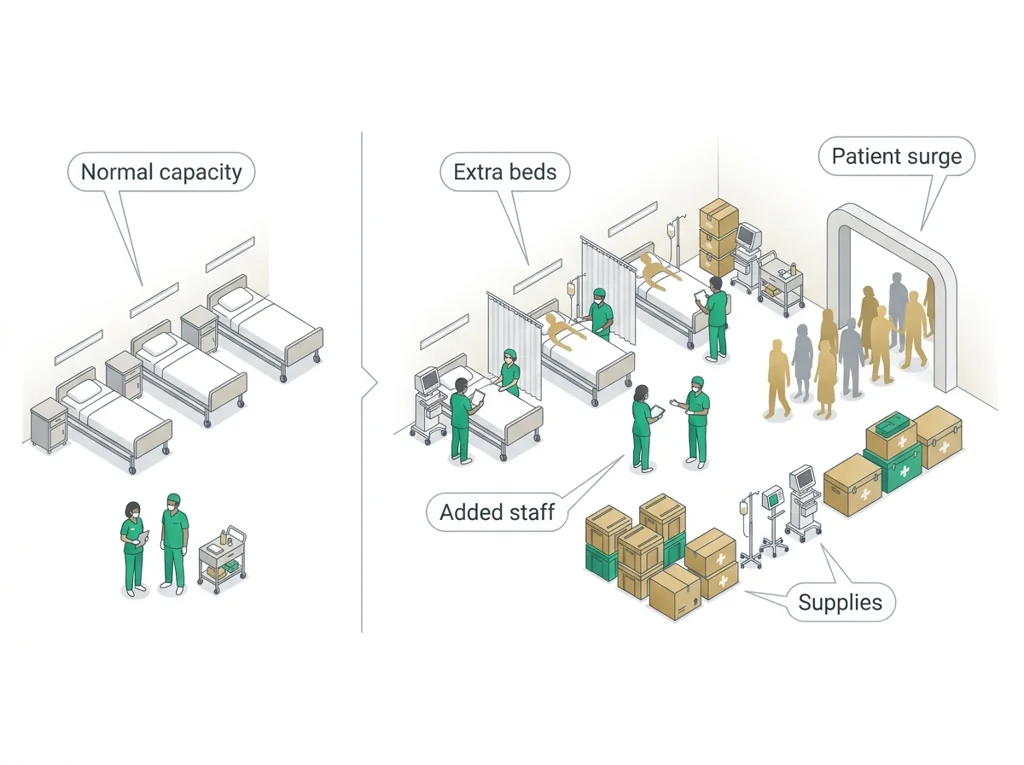
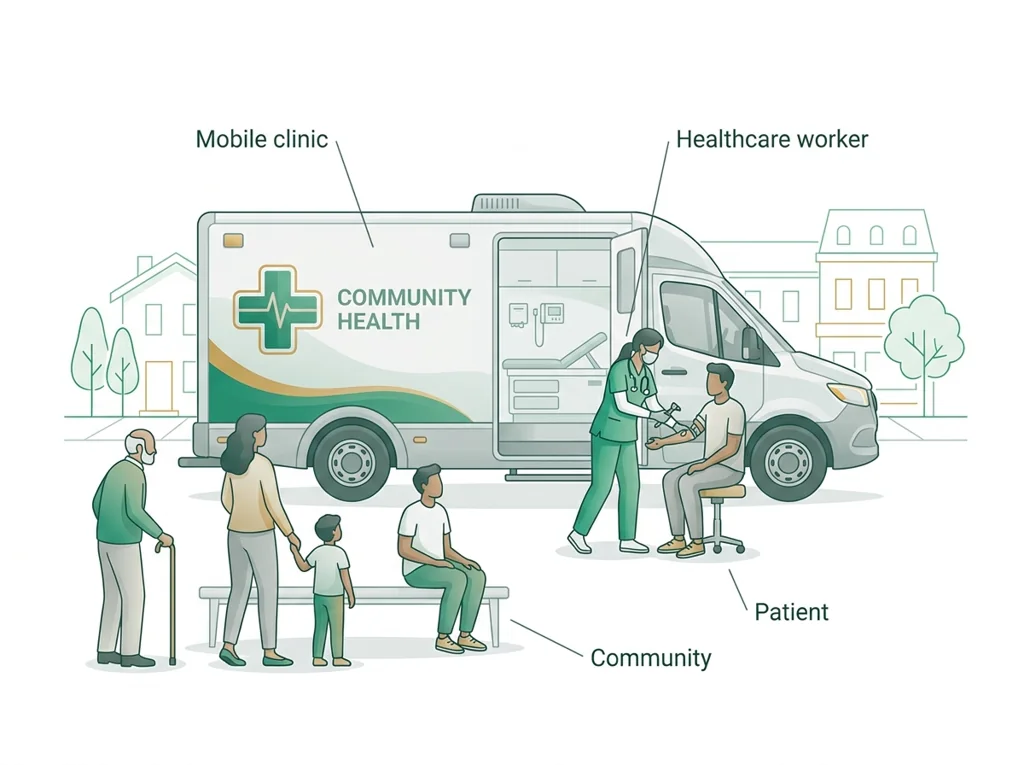
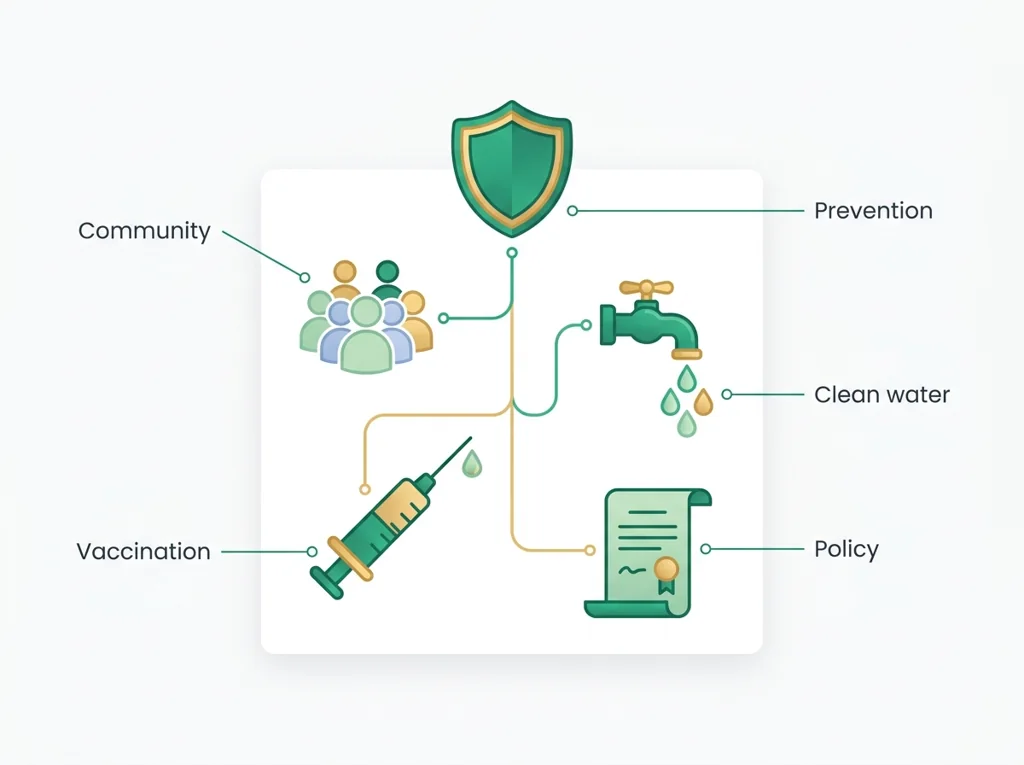
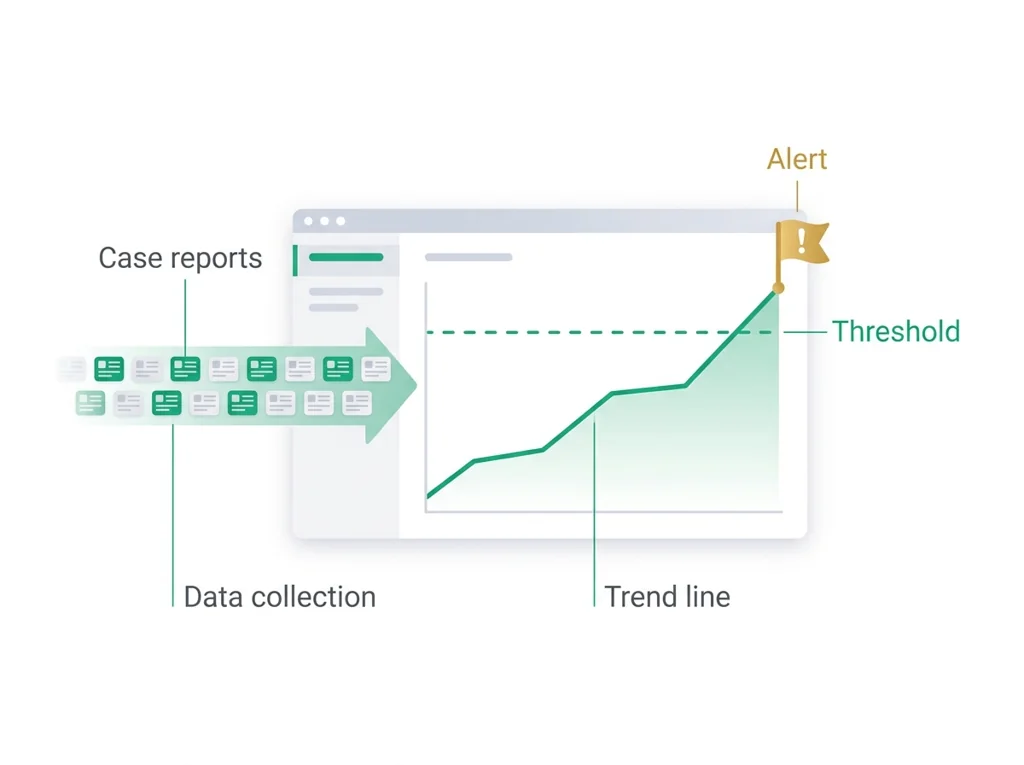
Tap the speaker to hear a term. Add two of these to your notebook glossary with a definition and an example in your own words.
Pick just 2 or 3 words from today and make them yours: write what each one means in your own words, name the context clue or evidence that helped, then give one example from what you actually did in Surge and usability notes. Try your own words first; the glossary is there if you get stuck. This is voluntary and counts as extra credit, so keep it short.
Saved on this device. Show Mr. Mendoza or add these to your notebook glossary to claim the extra credit.
Part 2 of 4 · Directions in plain English▸
2.1 Open your materials
Use the materials named in the first step below. Open lesson resources.
2.2 Start the work
Annotate notes on medical-surge planning and mobile facility design.
Show all 5 required steps
- Annotate notes on medical-surge planning and mobile facility design.
- List the core usability principles for a public-facing health app.
- Connect clear public-health communication to user trust and uptake.
- Sketch how user needs drive an app feature list.
- Complete the assigned PLTW online activity on surge response and design.
Lost your place? Interrupted? Your notes move through five steps: surge and mobile-facility design, the core usability principles, the link from clear communication to trust, a sketch of how user needs drive features, then the PLTW online activity. Pick up at the first one you have not finished.
- 0-5 minWarm-up: name one app you use in an emergency and one thing that makes it fast to use.
- 5-28 minTeacher-led notes: medical-surge planning, mobile facility types, and deployment criteria.
- 28-45 minNotes: usability principles (learnability, efficiency, error tolerance, satisfaction) with health-app examples.
- 45-55 minConnect communication clarity to user trust; sketch how user needs produce a feature list.
- 55-75 minPLTW online activity on surge response and design (individual, self-paced).
- 75-80 minExit check: name three usability principles and one health-app example for each.
- • Next class your team designs a surge communication app: today's notes give you the principles to justify every design choice.
- • Usability is not aesthetics: it is whether a frightened person in a crisis can figure out the app in 10 seconds.
- • your end-of-course WebXam connects biotechnology and data handling to public-health communication tools.
- • Finish the PLTW activity today: the platform covers the same usability framework your wireframe will use.
PLTW connection and today's work
In myPLTW, open Lesson 3.3 Information Sharing and go to Activity 3.3.1 User-centered Design.
Today's stopping point: You started Activity 3.2.5 Medical Surge. Today finish Activity 3.3.1 User-centered Design so your design project uses the same principles.
PLTW activity titles identify the course connection. If your account will not open, use the posted materials for today and tell Mr. Mendoza. Do not mark an online activity complete unless you completed it.
Course connection
- Activity 3.3.1 User-centered Design
Use the turn-in directions in Part 4 of this page. Do not create a second submission unless your teacher asks for one.
Show another explanation or a smaller first step
Need help? Choose a starting point
Part 3 of 4 · Worked example▸
This is a parallel case, not your own. Read it for the order of the work, then do your own in Part 4.
Three usability principles (with health-app examples):
- Learnability: a first-time user can figure it out fast. Example: a clear 'Find a clinic near me' button on the home screen.
- Efficiency: frequent tasks take few steps. Example: check wait times in one tap, not five.
- Error tolerance: mistakes are easy to recover from. Example: a confirmation step before submitting symptoms, with an 'edit' option.
(A fourth, satisfaction, means the experience feels trustworthy and not stressful.)
User needs drive features (sketch in words):
- User need: 'I do not know if it is safe to go to the ER.' -> Feature: live ER wait-time and capacity indicator.
- User need: 'I do not speak English well.' -> Feature: language toggle.
- User need: 'I have no data plan.' -> Feature: low-bandwidth text-only mode.
Trust-building strategy:
- Show the source and time of every update ('Updated 10 min ago by County Health'). People act on information they believe is current and official, which is critical during a surge.
This model shows the level of evidence and organization needed to complete: Completes the surge and design note-taking task: three usability principles with examples, a user-needs-to-feature sketch, and one trust-building strategy.
- Date and label the entry.
- Record the procedure, observation, or design decision clearly.
- End with what the evidence means and the next step.
Keep the structure. Replace the question, facts, measurements, and evidence. Then recheck units, vocabulary, and whether the conclusion goes beyond the evidence.
Also due today: Complete the assigned PLTW online activity on surge response and design, then keep your notes for the design project.
A bridge is tested against a load limit, cost limit, and user need before revision.
- Which requirement is a criterion?
- Which limit is a constraint?
- What test result should trigger a redesign?
A design improves when evidence is compared with explicit criteria and constraints.
Biomedical designs also require , ethics, and biological validation beyond a physical test.
- • Bridge requirements map to what the device must do for the body.
- • Load results map to the measurements taken from the .
- • Revision maps to the change those measurements justify.
Part 4 of 4 · Your work▸
Check your work before submitting
- Name three usability principles relevant to a health app.
- Submit the PLTW online task fully completed.
4.1 Turn in your work
DueCheck the Schoology assignment for this day- Hand in
- Annotated notes listing three usability principles with health-app examples, a sketch connecting user needs to a feature list, and one trust-building communication strategy.
How to submit and name your file
Keep notes in your science notebook; bring them next class for the design project.
In Schoology, open your course and the assignment for this lesson. Attach your file, select Submit, and check that it appears in the submission.
PDF upload helpYou get two school days for every day you were absent, so this deadline moves with you.
Today's lesson is in Schoology
Each school day has one lesson page in Schoology that holds everything for the day: the goal, the story so far, every table and data value, the numbered steps, and what to turn in. Open it first and work from it. The other rows for this day, if any, are the score line for a paper quiz or test and the John Carroll debate item; they do not add work. Check Schoology for each deadline.
- Today's Lesson · Mon 12/7 · Wk16 · Read the plates and narrow the suspects, then bacteria shapes and the Gram stain(today's lesson page: the goal, the data, the steps, and what to turn in are all on it)
Link will not open? Open Schoology, choose your course and section, and find the title shown above.
- CompleteEvery required part of the artifact is present, nothing left blank.
- AccurateThe science and the data are correct and match the evidence.
- Scientific reasoningYou explain your claim with evidence and reasoning (CER), not just an answer.
- Professional communicationClear, organized, labeled, and written the way a clinician or scientist would.
- SubmittedGo to Schoology to turn this in. Submit one PDF. Schoology attaches your name to your upload; on the page itself, write your period and code. Name the file: FirstName LastName - Assignment Title - YYYY-MM-DD.pdf. If you cannot get in, see Mr. Mendoza. Do not skip the work.
How this lesson connects
Keep using what you learned last class: Is it ethical to grant the Vargo family their request? Today: A public-health message reaches people only when the interface is usable, so accurate information in a bad interface fails because users abandon it before they act.
Practice: try a question, then check your answer▸
Claim ceiling for this check: Today's evidence supports a classroom claim about today's lesson. It cannot prove causation, diagnose a real patient, or justify action outside this room.
A surge app is completely accurate but requires a login, three taps, and a scroll to reach the open-clinic list. Which usability principle is it failing most, and what would that cost in a surge?
Write an answer and pick a confidence to unlock the key.
Fast retrieval with instant answers, not the commit-then-reveal check above. Try each from memory first: write what you remember about the earlier units, then check yourself here.
Missed class or ready for more?▸
What today's skills lead to. These are real health-science careers this course builds toward. Tap one to see, on the US Department of Labor's O*NET site, what the job actually involves, what it pays, and how fast it is growing.
Today is individual work you can do from home: complete the same target above, then submit your Notebook check.
Go to Schoology to turn this in. Submit one PDF. Schoology attaches your name to your upload; on the page itself, write your period and code. Name the file: FirstName LastName - Assignment Title - YYYY-MM-DD.pdf. If you cannot get in, see Mr. Mendoza. Do not skip the work.
Class still runs. Complete today's work as this page describes (it is self-guided). Need the concept taught without a teacher? Use this authoritative explainer:
Ready.gov: pandemic and large-scale health emergenciesThe optional extra-credit track is open. Complete reserved-unit work from home, including virtual labs, for extra credit. Each item shows its correct submission route.
Open the extra-credit trackSources: slides, readings, and resources▸
The deck carries the prior idea forward, lets you inspect an analogy, maps the rule to biology, and ends with the same evidence decision and exit ticket used on this page.
Hand-picked readings and interactives for this lesson, from authoritative open organizations and PLTW's own public course outline.
This week
My Progress dashboard