
How to use the class website
This page has four parts, in the order you use them. Part 1 is what you need to know. Part 2 says what to do, in plain English. Part 3 shows the work done once on a case that is not yours. Part 4 is your own work and where to turn it in.
Open your materials, follow the steps, then turn in your work.
Learn to navigate mendozabiomed.org/learn: find today's goal, required materials, steps, and turn-in directions, then open the matching Schoology assignment.
Optional: listen or watch a unit review▸
Part 1 of 4 · Background and definitions▸
💡 Big idea: If you can read the daily page, you are never lost: it always shows the target, the steps, the resources, and what to turn in.
- • Each day page runs in four parts: background, directions, a worked example, then your work and where it goes. Help sections open when you select their headings.
- • The before-class routine is the website for the target and what is due, then Schoology for the matching assignment and submission.
- • A worked example, when there is one, is Part 3 of the page. It is a fully worked answer to a similar problem, not to today's, so use it for the shape and depth expected and still write your own.
This first week sets the pace. When our routines are automatic, we spend the rest of the year learning, not managing.
If you can read the daily page, you are never lost: it always shows the target, the steps, the resources, and what to turn in.
Driving question: You open the class website and see today's page for the first time. Where do you look to find the target, the steps, and what to turn in, in under 30 seconds?
What you already know: This first week sets the pace. When our routines are automatic, we spend the rest of the year learning, not managing.
New idea: If you can read the daily page, you are never lost: it always shows the target, the steps, the resources, and what to turn in.
Visual or model: No figure is attached to this lesson. The readings, the worked example and E1 to E3 carry the evidence.
- Observe or measure the relevant feature in today's lesson.
- Organize the observation with a stable evidence ID.
- Apply this rule: Keep observations separate from explanations, then collect the evidence that can distinguish the options.
- Choose the option the evidence supports and state the limit of the conclusion.
Real biomedical example: You open the class website and see today's page for the first time. Where do you look to find the target, the steps, and what to turn in, in under 30 seconds?
What the evidence supports: E1 to E3 support the daily take-home when the response meets the stated success criteria.
What it cannot prove: The package does not support claims beyond this lesson's or any real patient diagnosis.
- • procedure: A clear, ordered set of steps followed exactly the same way each time to carry out a task safely and get reliable results.
- • routine: A consistent set of steps done in the same order each time, which builds good habits and makes work more reliable and efficient.
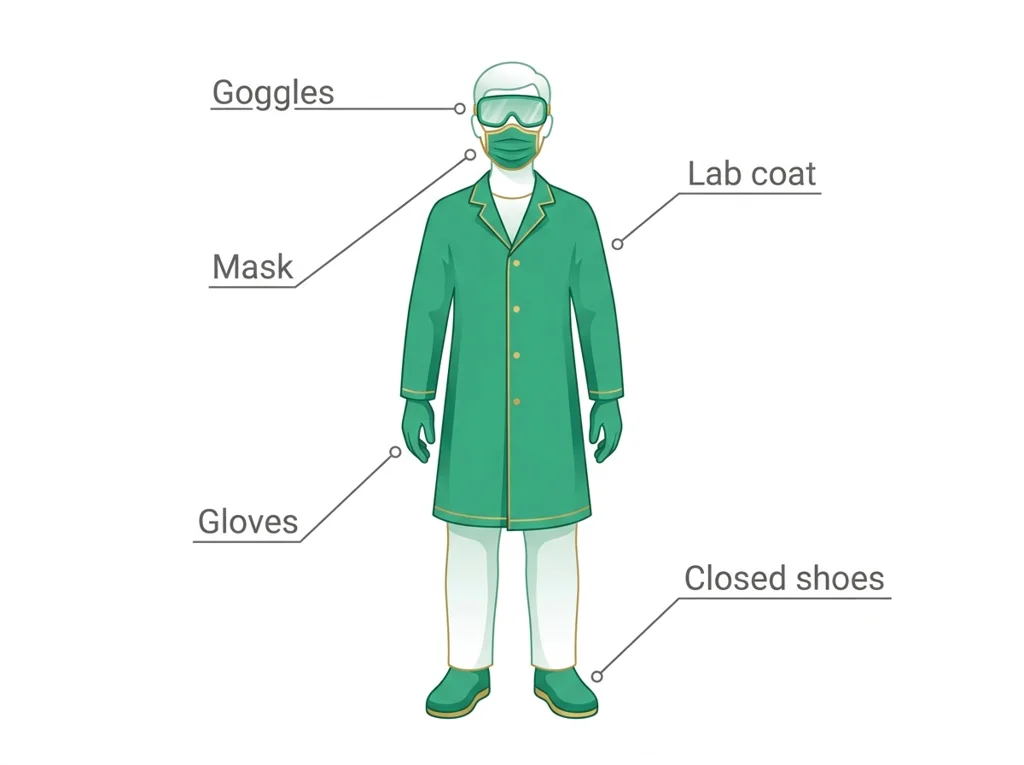
- • : Personal protective equipment, the gear like gloves, goggles, lab coats, and masks worn to shield the body from chemical, biological, or physical hazards.
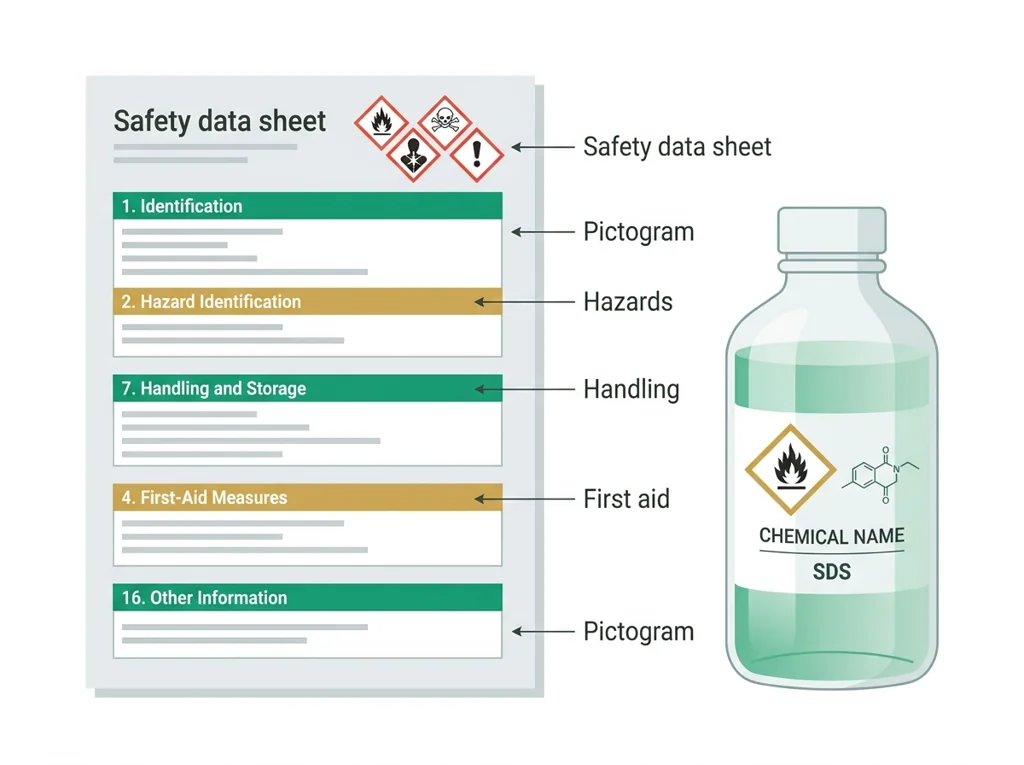
- • SDS: A data sheet: a standardized document listing a chemical's hazards, safe handling steps, and emergency measures for anyone using it.
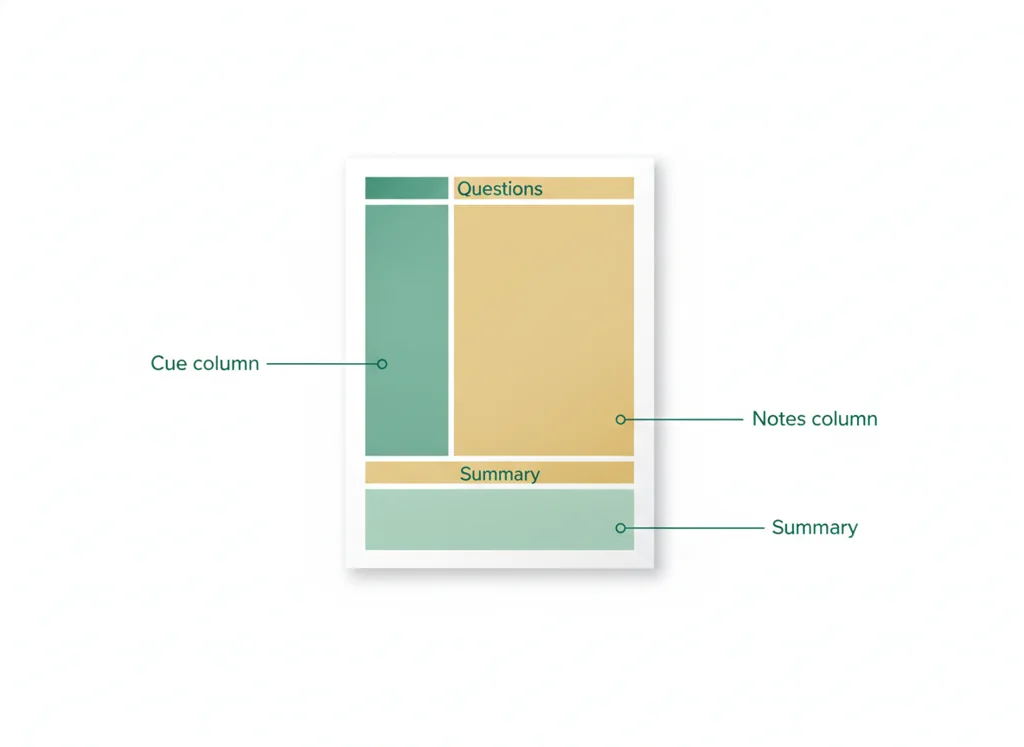
- • : A note-taking layout that splits a page into a wide notes column, a narrow cue column for questions, and a summary strip at the bottom.
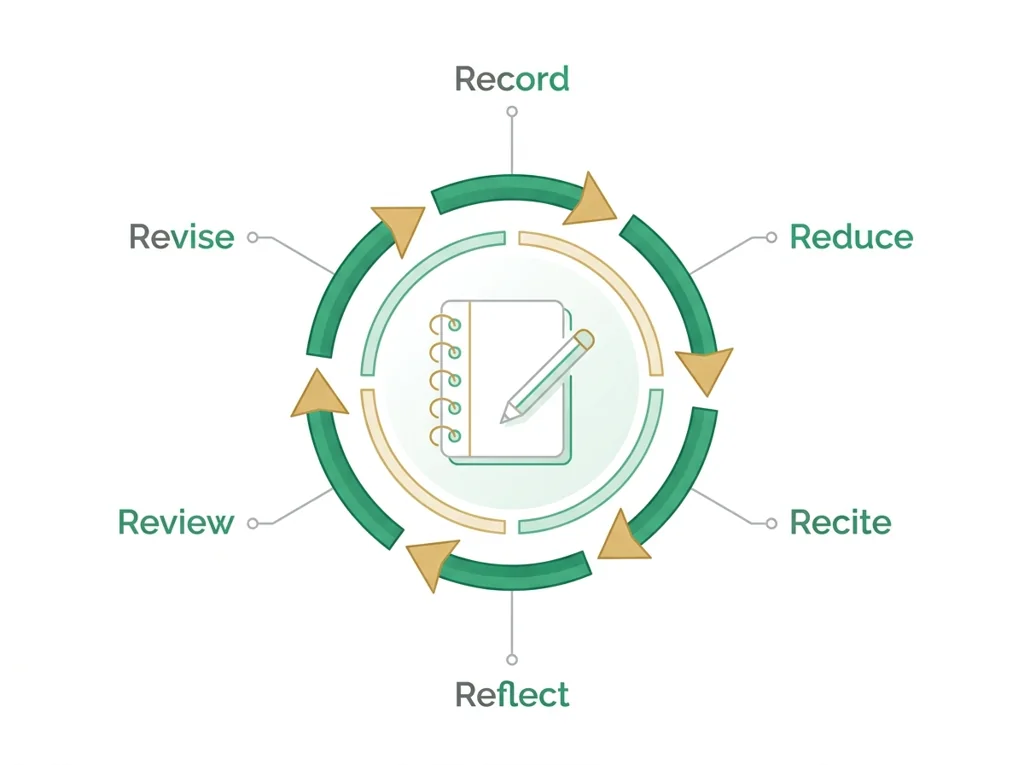
- • : A six-step learning cycle (Record, Reduce, Review, Reflect, Recite, Revise) used to turn class notes into deep, lasting understanding.
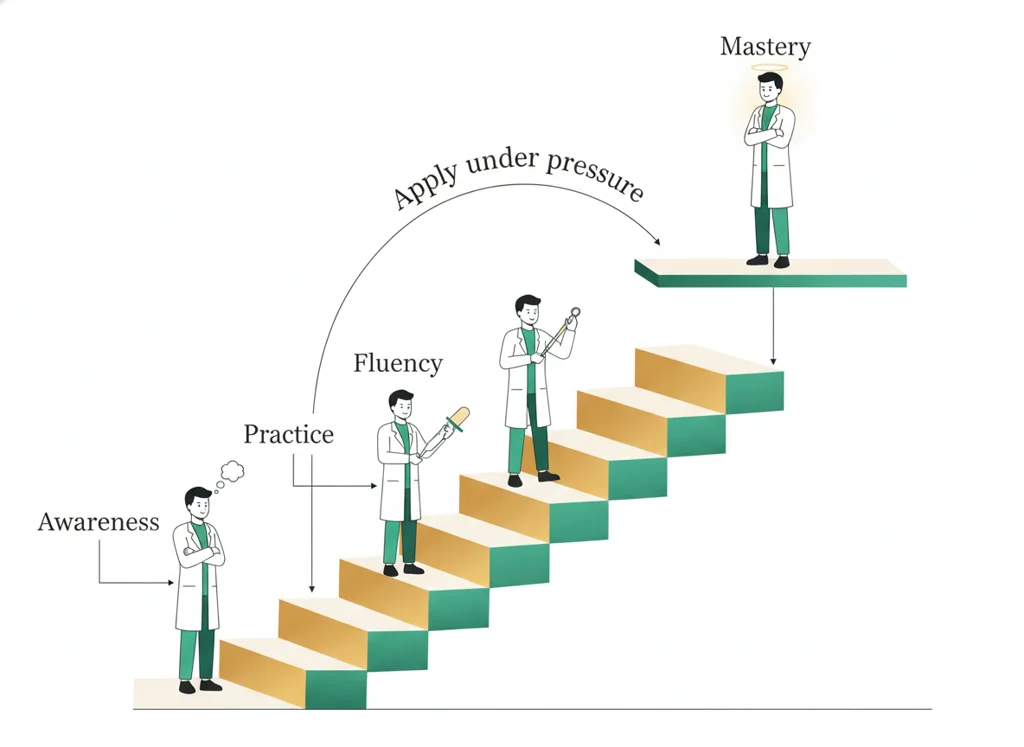
- • mastery: Knowing a skill or concept well enough to use it confidently under pressure, not just recognizing it on a slide.
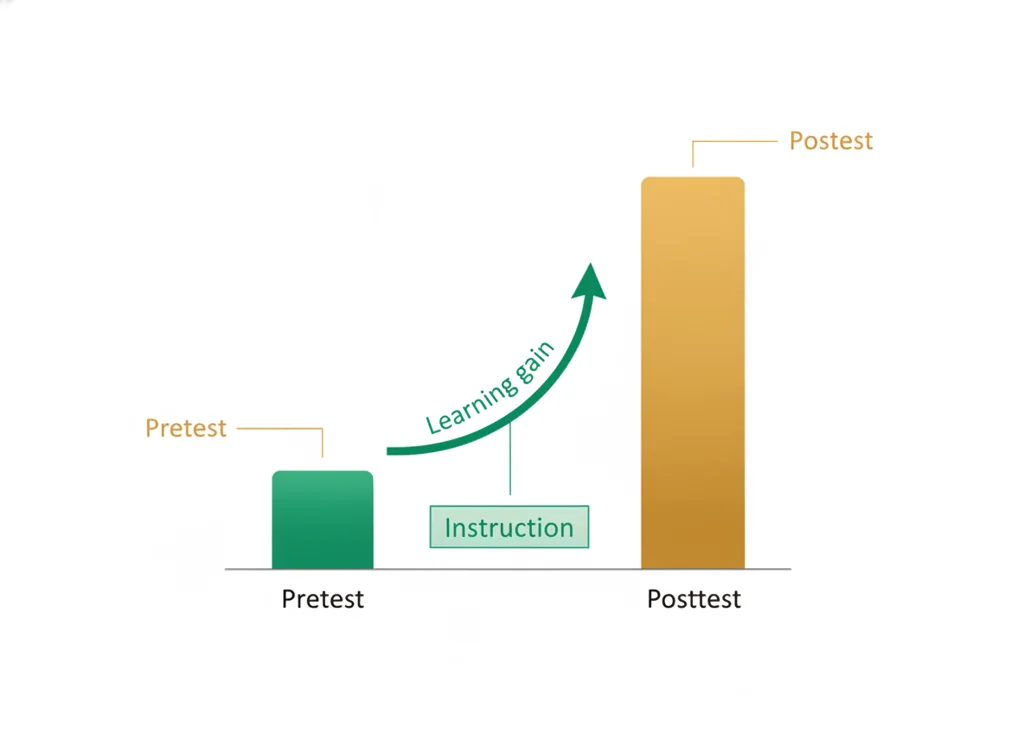
- • : An assessment given before instruction begins so you can measure how much was learned by comparing it to a later test on the same material.
Use it now: Choose one decision option. Cite E1 and E3, then explain how the rule connects the evidence to your choice. This is thinking practice for the one turn-in named under Turn in, not a second submission.
Go further, optional: The source links below are optional enrichment. Every fact required for today's local evidence decision appears in this lesson package.
If you can read the daily page, you are never lost: it always shows the target, the steps, the resources, and what to turn in.
Limit: This day teaches local course routines rather than a biomedical science claim.
Keep observations separate from explanations, then collect the evidence that can distinguish the options.
Limit: Biomedical investigations use controlled procedures and validated measurements, not intuition alone.
You can open the correct course and section, find today's goal and materials, and show the full steps.
Limit: E3 defines the classroom product or success criterion. It is not independent scientific evidence and cannot justify a clinical or causal claim.
Today's decision · Simulated classroom evidence scenario
Your role: biomedical team member
Decision: Your team must decide what the evidence from today's lesson supports before submitting the exit response named on today's page.
- • Check the daily page before class every day, since it always lists the target, steps, resources, and tracker.
- • Open the website only on days the teacher assigns something from it, and use Schoology for everything else.
- • Wait until an absence or a changed plan to see whether the daily page alone keeps you on track.
Response: State one choice, cite at least two evidence IDs, explain the rule that connects them, and add one limitation. Use it inside the one turn-in named under Turn in; it is not a separate submission.
Claim ceiling: Today's evidence supports a classroom claim about today's lesson. It cannot prove causation, diagnose a real patient, or justify action outside this room.
Students often think you only need the website when the teacher assigns something from it. The trap: the website is the plan every single day, so checking it before class is the habit that keeps you from getting lost
- CER:
- Claim, Evidence, Reasoning: make a claim, back it with evidence, explain your reasoning.
- SOP:
- Standard Operating Procedure, the exact steps to follow (especially in a lab).
- Tracker:
- Your PLTW progress log where you record completed evidence.
- myPLTW:
- The PLTW course site where you do the online activities. Find it in Clever with your Microsoft sign-in, right next to Schoology.
Tap the speaker to hear a term. Add two of these to your notebook glossary with a definition and an example in your own words.
Pick just 2 or 3 words from today and make them yours: write what each one means in your own words, name the context clue or evidence that helped, then give one example from what you actually did in How to use the class website. Try your own words first; the glossary is there if you get stuck. This is voluntary and counts as extra credit, so keep it short.
Saved on this device. Show Mr. Mendoza or add these to your notebook glossary to claim the extra credit.
Part 2 of 4 · Directions in plain English▸
2.1 Open your materials
Use the materials named in the first step below. Open lesson resources.
2.2 Start the work
Icebreaker: Find Someone Who. Move around and find classmates who match prompts (plays a sport, speaks two languages, wants a health career).
Show all 5 required steps
- Icebreaker: Find Someone Who. Move around and find classmates who match prompts (plays a sport, speaks two languages, wants a health career).
- Open the class website (mendozabiomed.org/learn) and find today's page for your course and section.
- Find the goal, then the four parts every day page is built from: Part 1 background and definitions, Part 2 the directions in plain English, Part 3 a worked example, and Part 4 your work. Inside Part 2, open Show all required steps for the full directions; 2.1 is Open your materials and 2.2 is Start the work. Turning in is 4.1, at the bottom.
- Practice the daily habit: check the website first for the target and what is due, then open the matching Schoology assignment.
- Website scavenger hunt: find today's objective, open one resource, and find where you submit your work.
Lost your place? If you lost your place, open today's page and select Show all required steps. Find the first step you have not finished and continue there.
- 0-8Icebreaker: Find Someone Who
- 8-25Guided tour: goal, materials, required steps, turn-in directions, and optional help
- 25-40The daily check-in routine: the website for the target, Schoology for the assignment and submission
- 40-70Website scavenger hunt
- 70-80Share answers and close
- • Today you learn to drive the website, because it is where the whole course lives.
- • I will show you one day page, then you will explore on your own with a scavenger hunt.
- • The goal is a habit: before every class you check the website for the target, then Schoology for the assignment and submission.
PLTW connection and today's work
Complete the course orientation checklist: routines, website, notebook, safety contract, and the baseline pretest. Check myPLTW course access; if it is unavailable, report it and use the posted class materials.
Today's stopping point: Reach the day-2 checkpoint for this unit.
PLTW activity titles identify the course connection. If your account will not open, use the posted materials for today and tell Mr. Mendoza. Do not mark an online activity complete unless you completed it.
Course connection
- No myPLTW activity today. Check your course access. If it will not open, tell your teacher and continue with the assigned orientation materials.
Use the turn-in directions in Part 4 of this page. Do not create a second submission unless your teacher asks for one.
Show another explanation or a smaller first step
Need help? Choose a starting point
Part 3 of 4 · Worked example▸
This is a parallel case, not your own. Read it for the order of the work, then do your own in Part 4.
Today's objective (copied from today's page): set up Cornell notes and take a first page.
Resource I opened: the Cornell note-taking guide.
Where I submit: in Schoology, plus a myPLTW screenshot.
This model shows the level of evidence and organization needed to complete: Completes the website orientation: the student locates the day's objective, opens a resource, and finds where to submit.
- Name the prompt or task.
- Answer it directly with the key evidence.
- Check that the response matches the requested format.
Keep the structure. Replace the question, facts, measurements, and evidence. Then recheck units, vocabulary, and whether the conclusion goes beyond the evidence.
A detective board holds observations, possible explanations, and one next question.
- Which notes are direct observations?
- Which notes are explanations?
- What new evidence would separate the explanations?
Keep observations separate from explanations, then collect the evidence that can distinguish the options.
Biomedical investigations use controlled procedures and validated measurements, not intuition alone.
- • Board notes map to the signs, results and measurements you recorded.
- • Possible explanations map to the competing biological causes.
- • The next question maps to the test or observation that would separate them.
Part 4 of 4 · Your work▸
Check your work before submitting
- You can open the correct course and section, find today's goal and materials, and show the full steps.
- You can describe the before-class routine: the website for what to do, Schoology for the matching assignment and submission.
4.1 Turn in your work
DueCheck the Schoology assignment for this day- Hand in
- Website scavenger hunt sheet: today's objective, one resource you opened, and where you submit.
How to submit and name your file
Submit the scavenger hunt in Schoology using the assignment with this same title.
In Schoology, open your course and the assignment for this lesson. Attach your file, select Submit, and check that it appears in the submission.
PDF upload helpYou get two school days for every day you were absent, so this deadline moves with you.
Find this lesson's Schoology assignments
These are existing assignments for your section. Follow the directions in the assignment you are working on; this list does not add new work. A PLTW Work row repeats on every day of its lesson; submit it once. Check Schoology for each deadline.
- Wk1 Exit ticket: How to use the class website(today's turn-in)
Link will not open? Open Schoology, choose your course and section, and find the title shown above.
- CompleteEvery required part of the artifact is present, nothing left blank.
- AccurateThe science and the data are correct and match the evidence.
- Scientific reasoningYou explain your claim with evidence and reasoning (CER), not just an answer.
- Professional communicationClear, organized, labeled, and written the way a clinician or scientist would.
- SubmittedGo to Schoology to turn this in. Submit one PDF. Schoology attaches your name to your upload; on the page itself, write your period and code. Name the file: FirstName LastName - Assignment Title - YYYY-MM-DD.pdf. If you cannot get in, see Mr. Mendoza. Do not skip the work.
How this lesson connects
Keep using what you learned last class: This first week sets the pace. When our routines are automatic, we spend the rest of the year learning, not managing. Today: If you can read the daily page, you are never lost: it always shows the target, the steps, the resources, and what to turn in.
Practice: try a question, then check your answer▸
Claim ceiling for this check: Today's evidence supports a classroom claim about today's lesson. It cannot prove causation, diagnose a real patient, or justify action outside this room.
Name the before-class routine in order, and say why the website comes first.
Write an answer and pick a confidence to unlock the key.
Missed class or ready for more?▸
Optional practice for this unit's lab skills. Nothing in it is due today.
What today's skills lead to. These are real health-science careers this course builds toward. Tap one to see, on the US Department of Labor's O*NET site, what the job actually involves, what it pays, and how fast it is growing.
Today's work depends on equipment and locations in our lab, so it cannot be finished from home. Do the part that travels: read the target above and the safety notes, and write what you already know.
Back in class. The in-room part has to be done in the room. See Mr. Mendoza on your first day back and he will run it with you before you work at the bench.
Class still runs. Complete today's work as this page describes (it is self-guided). Need the concept taught without a teacher? Use this authoritative explainer:
CDC Laboratory SafetySources: slides, readings, and resources▸
The deck carries the prior idea forward, lets you inspect an analogy, maps the rule to biology, and ends with the same evidence decision and exit ticket used on this page.
Vetted readings and references for this unit. Use them to prepare, to catch up if you were absent, or to go deeper on today's target.
May require a free account. Use the class copy if you cannot sign in.
This week
My Progress dashboard