
Emergency-response simulation
This page has four parts, in the order you use them. Part 1 is what you need to know. Part 2 says what to do, in plain English. Part 3 shows the work done once on a case that is not yours. Part 4 is your own work and where to turn it in.
Open your materials, follow the steps, then turn in your work.
Student teams run an emergency-response simulation to assess, triage, and stabilize multiple patients.
Check you have the right sheet: the top of it prints today's portal day, Emergency-response simulation. The PLTW activity itself is in myPLTW and is not posted here.
Optional: listen or watch a unit review▸
Part 1 of 4 · Background and definitions▸
💡 Big idea: Teams that follow a shared with fixed roles tag and stabilize more patients under pressure, because assigned scope and a repeatable order prevent the missed assessments and duplicated effort that improvising produces.
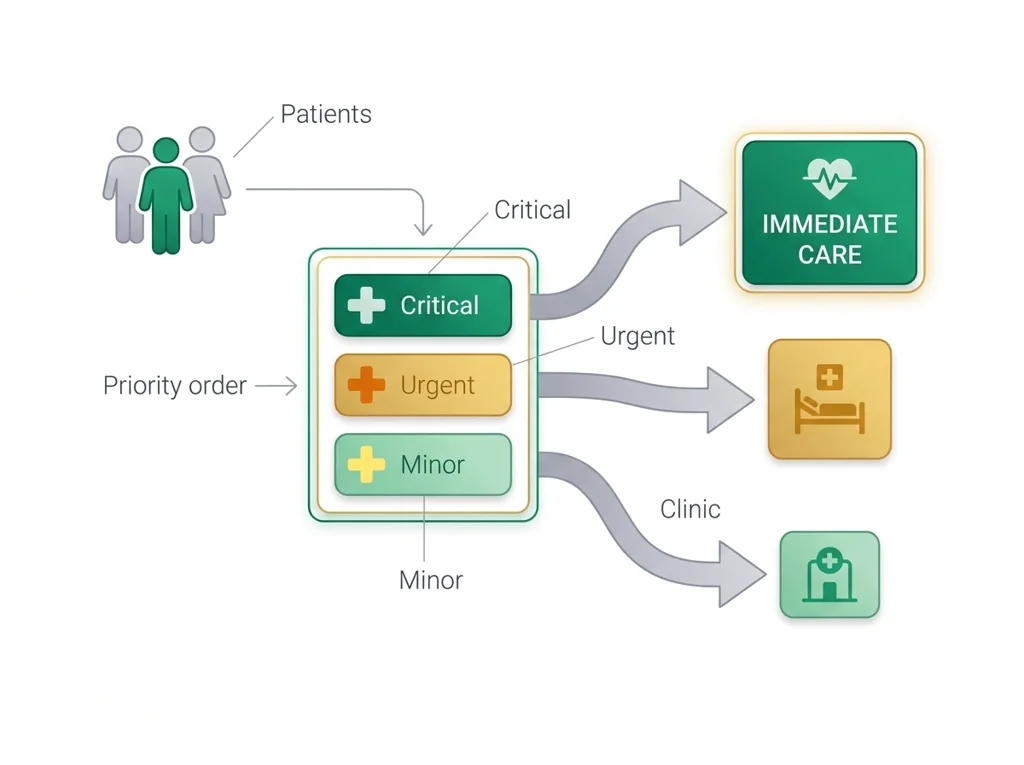
- • tags (color-coded: red/immediate, yellow/delayed, green/minimal, black/expectant) communicate priority at a glance.
- • Each team role (assessor, treatment provider, documenter) has a defined scope; staying in role prevents duplication and gaps.
- • Simulation limitations include artificial time pressure, simplified patient presentations, and absence of real physiological feedback.
Is it ethical to grant the Vargo family their request?
Teams that follow a shared with fixed roles tag and stabilize more patients under pressure, because assigned scope and a repeatable order prevent the missed assessments and duplicated effort that improvising produces.
Driving question: Your three-person team has ninety seconds and four simulated patients bleeding and struggling to breathe. Can you assess, tag, and stabilize all four without two of you working on the same person while a fourth goes uncounted?
New idea: Teams that follow a shared with fixed roles tag and stabilize more patients under pressure, because assigned scope and a repeatable order prevent the missed assessments and duplicated effort that improvising produces.
Visual or model: No figure is attached to this lesson. The readings, the worked example and E1 to E3 carry the evidence.
- Observe or measure the relevant feature in emergency-response simulation.
- Organize the observation with a stable evidence ID.
- Apply this rule: Keep observations separate from explanations, then collect the evidence that can distinguish the options.
- Choose the option the evidence supports and state the limit of the conclusion.
Real biomedical example: Your three-person team has ninety seconds and four simulated patients bleeding and struggling to breathe. Can you assess, tag, and stabilize all four without two of you working on the same person while a fourth goes uncounted?
What the evidence supports: E1 to E3 support the daily take-home when the response meets the stated success criteria.
What it cannot prove: The package does not support claims beyond this lesson's or any real patient diagnosis.
- • : Sorting patients so that limited staff, time, and supplies do the most good. In everyday emergency care that usually means the most urgent first, but in a mass-casualty event it means treating those who benefit most, which is not always the most badly injured.
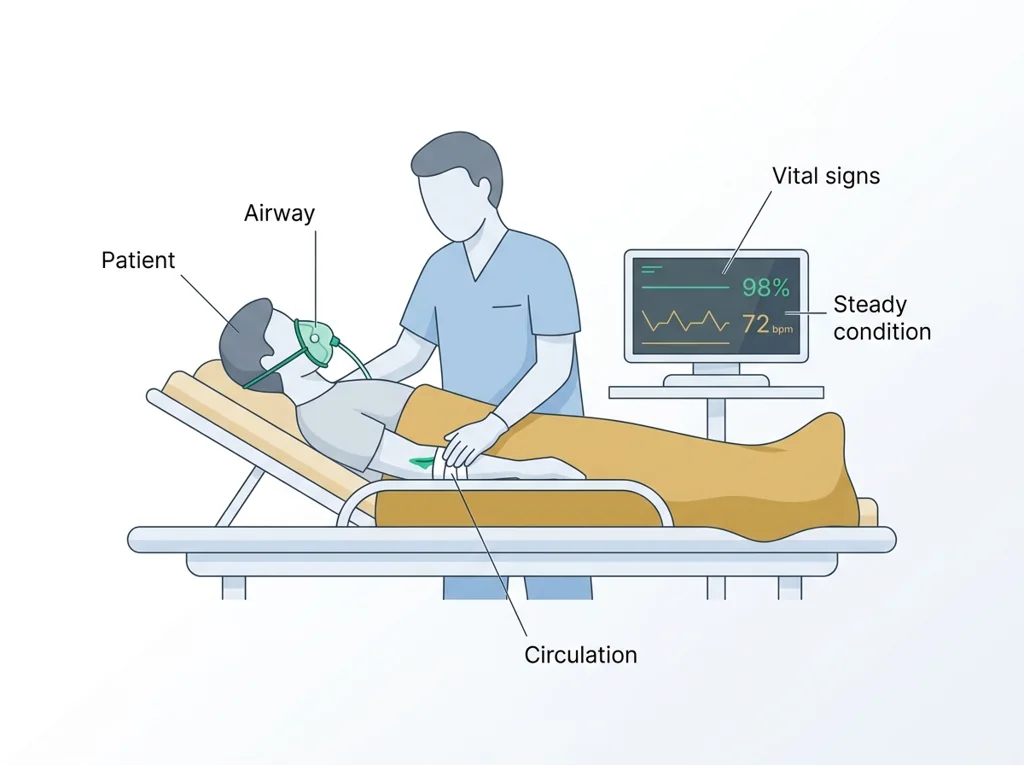
- • : The emergency care that keeps a patient's vital functions steady, such as breathing and circulation, so their condition does not worsen before further treatment.
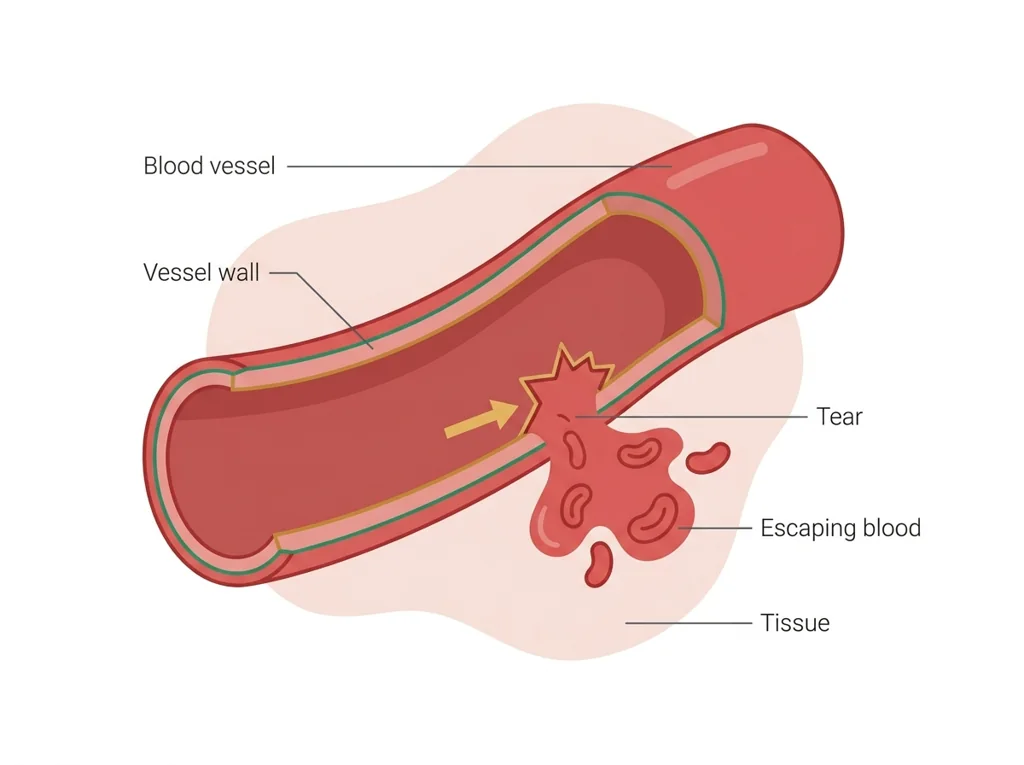
- • : Heavy or uncontrolled bleeding from a damaged blood vessel, either outside the body or internally into tissues, that can become life-threatening.
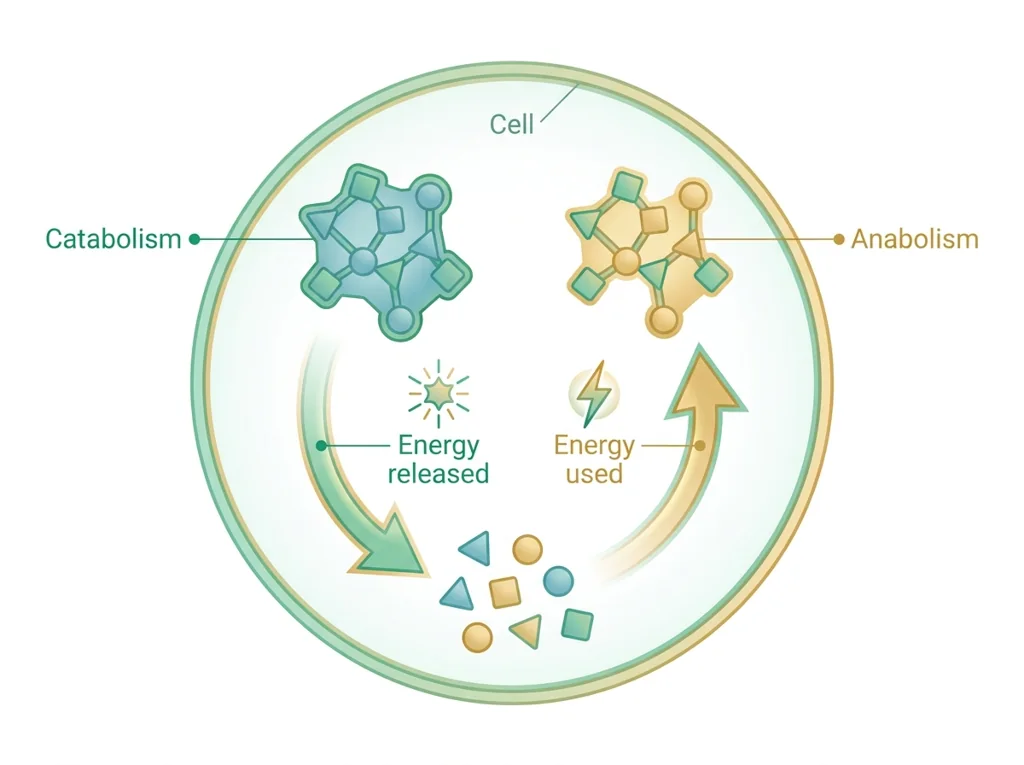
- • : All the chemical reactions in the body that build up or break down molecules, releasing or storing the energy needed to stay alive.
- • dose: The measured amount of a drug or substance given at one time, chosen to be effective while staying safe for the patient.
- • protocol: A detailed, step-by-step set of instructions for carrying out a procedure the same way every time so results can be trusted and repeated.
- • : A sudden rise in patients that strains a healthcare system beyond normal capacity, as during a disaster, outbreak, or mass-casualty event.
Use it now: Choose one decision option. Cite E1 and E3, then explain how the rule connects the evidence to your choice. This is thinking practice for the one turn-in named under Turn in, not a second submission.
Go further, optional: The source links below are optional enrichment. Every fact required for today's local evidence decision appears in this lesson package.
Biomedical evidence supports a conclusion only to the level allowed by the measurement, comparison, controls, source quality, and uncertainty in the investigation.
Limit: The classroom evidence supports the stated learning decision, not a real clinical diagnosis, causal conclusion, or treatment recommendation.
Keep observations separate from explanations, then collect the evidence that can distinguish the options.
Limit: Biomedical investigations use controlled procedures and validated measurements, not intuition alone.
Team triages all simulated patients using the .
Limit: E3 defines the classroom product or success criterion. It is not independent scientific evidence and cannot justify a clinical or causal claim.
Today's decision · Simulated classroom evidence scenario
Your role: biomedical investigator
Decision: Your team must decide what the evidence from emergency-response simulation supports before submitting the lab report named on today's page.
- • Follow the shared with assigned roles, because a fixed order keeps the team from missing patients or doubling up.
- • Skip the formal procedure and start treating whoever looks worst, since that is the fastest way to help under pressure.
- • Compare tagged-patient counts from an run and an improvised run before deciding which approach your team should use.
Response: State one choice, cite at least two evidence IDs, explain the rule that connects them, and add one limitation. Use it inside the one turn-in named under Turn in; it is not a separate submission.
Claim ceiling: Today's evidence supports a classroom claim about emergency-response simulation. It cannot prove causation, diagnose a real patient, or justify action outside this room.
Reason for review: Your team must decide what the evidence from emergency-response simulation supports before submitting the lab report named on today's page.
Context: A shared standard operating procedure lets a team move fast without missing patients, because improvising under pressure quietly drops assessments and doubles up on the same patient.
- • T1: Record the for the primary assessment and tagging.
- • T2: Assign team roles for assessment, bleeding control, and documentation.
- • T3: Assess each simulated patient and assign a category.
- • T4: Apply and bleeding-control steps in priority order.
- • T5: Log decisions and note one limitation of the simulation data.
- • E1: Biomedical evidence supports a conclusion only to the level allowed by the measurement, comparison, controls, source quality, and uncertainty in the investigation.
- • E2: Keep observations separate from explanations, then collect the evidence that can distinguish the options.
- • E3: Team triages all simulated patients using the .
Measurements: No patient measurement is supplied unless it appears explicitly in E1-E3. Do not invent a value.
Uncertainty: This is a composite classroom scenario. Missing history, measurements, or confirmation tests remain unknown and limit the conclusion.
Students often think the fastest response is to skip the formal procedure and just start treating whoever looks worst. The trap: Skipping the feels faster but causes missed assessments and duplicated effort, because without assigned roles and a fixed order two responders crowd one patient while another is never evaluated. The repeatable procedure is what makes speed reliable instead of lucky.
- CER:
- Claim, Evidence, Reasoning: make a claim, back it with evidence, explain your reasoning.
- SOP:
- Standard Operating Procedure, the exact steps to follow (especially in a lab).
- Tracker:
- Your PLTW progress log where you record completed evidence.
- myPLTW:
- The PLTW course site where you do the online activities. Find it in Clever with your Microsoft sign-in, right next to Schoology.
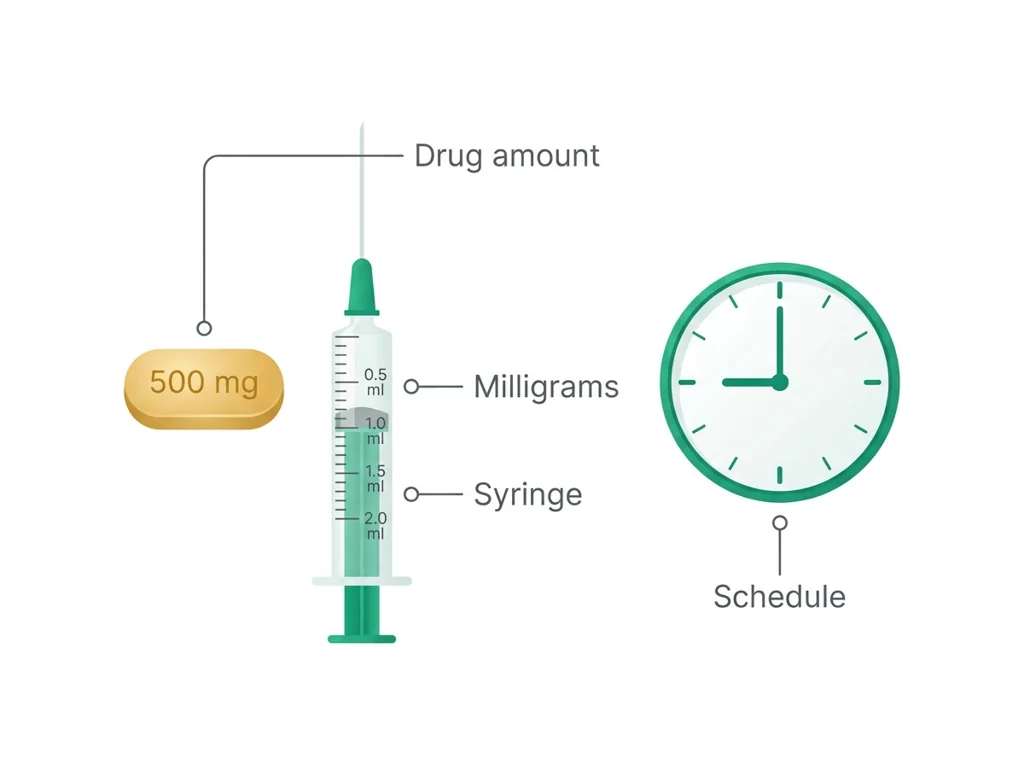
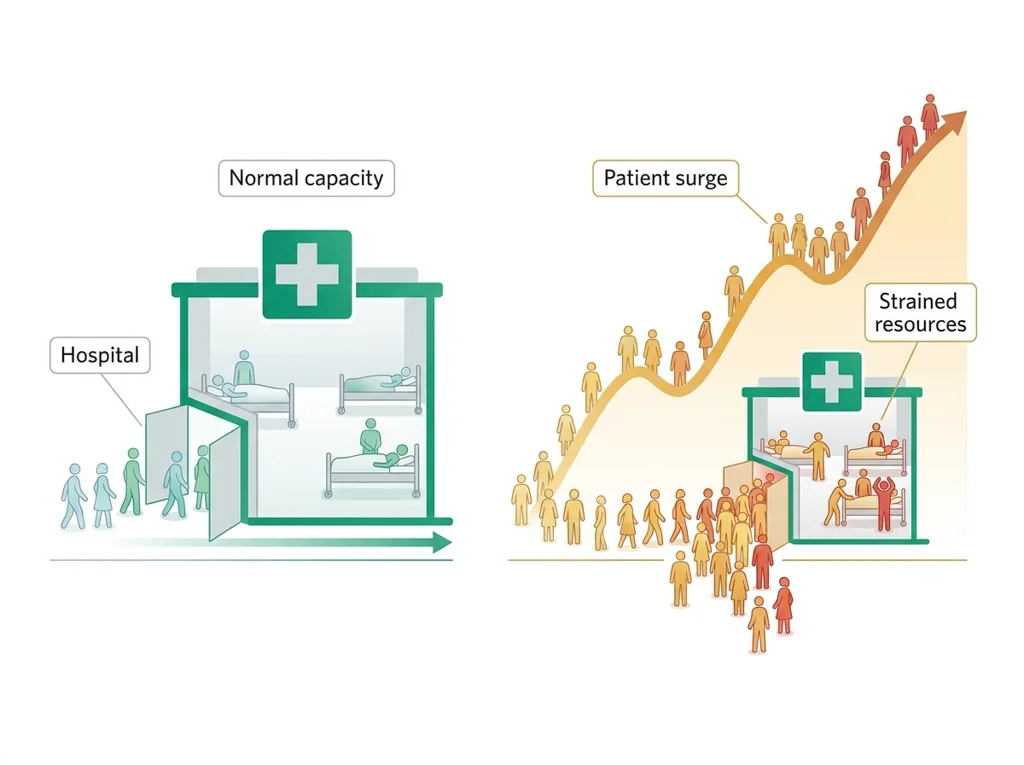
Tap the speaker to hear a term. Add two of these to your notebook glossary with a definition and an example in your own words.
Pick just 2 or 3 words from today and make them yours: write what each one means in your own words, name the context clue or evidence that helped, then give one example from what you actually did in Emergency-response simulation. Try your own words first; the glossary is there if you get stuck. This is voluntary and counts as extra credit, so keep it short.
Saved on this device. Show Mr. Mendoza or add these to your notebook glossary to claim the extra credit.
Part 2 of 4 · Directions in plain English▸
2.1 Open your materials
Use the materials named in the first step below. Open lesson resources.
2.2 Start the work
Record the SOP for the primary assessment and triage tagging.
Show all 5 required steps
- Record the SOP for the primary assessment and triage tagging.
- Assign team roles for assessment, bleeding control, and documentation.
- Assess each simulated patient and assign a triage category.
- Apply stabilization and bleeding-control steps in priority order.
- Log decisions and note one limitation of the simulation data.
Lost your place? Confirm your team recorded the SOP for assessment and tagging (step 1) and assigned roles (step 2), then work through assessing and tagging each patient (step 3), applying stabilization in priority order (step 4), and logging decisions plus one simulation limitation (step 5).
- 0-8 minRecord the ; receive team roles (assessor, treatment provider, documenter).
- 8-15 minStation setup; review tag color codes and category criteria.
- 15-45 minSimulate: assess each patient (ABCDE sequence), assign tag, apply in priority order.
- 45-60 minDocumenter logs all decisions, steps, and timing in the decision log.
- 60-70 minTeam debrief: review decisions, identify any order disagreements.
- 70-80 minEach member records one simulation limitation before materials are collected.
- • Today the classroom becomes a mass-casualty scene: work quickly, follow the , and document every decision.
- • The simulation is realistic enough that the mistakes you make today are the ones you want to avoid in practice.
- • the part of your end-of-course WebXam about handling, preparing, storing and disposing of materials includes emergency procedures: today is an assessment of those skills.
- • Documenting one simulation limitation is not optional: it is part of your lab report.
PLTW connection and today's work
In myPLTW, go back to Activity 3.2.1 Survey and Assess in Lesson 3.2 Emergency Response and use its patient scenarios during the simulation.
Today's stopping point: myPLTW responses should be completed by the end of the debrief period.
PLTW activity titles identify the course connection. If your account will not open, use the posted materials for today and tell Mr. Mendoza. Do not mark an online activity complete unless you completed it.
Use the turn-in directions in Part 4 of this page. Do not create a second submission unless your teacher asks for one.
Show another explanation or a smaller first step
Need help? Choose a starting point
Finish the assigned lab safely before starting extra practice.
Part 3 of 4 · Worked example▸
This is a parallel case, not your own. Read it for the order of the work, then do your own in Part 4.
Team roles (assigned before starting):
- Investigator A-12: assessor (ran ABCDE on each patient).
- Investigator A-14: treatment provider (bleeding control and stabilization).
- Investigator A-16: documenter (this log).
SOP recorded: assess each patient with ABCDE, assign a color tag, then treat in priority order (red before yellow before green).
Decision log:
- Patient 1: severe leg bleed, breathing fine. Tag: RED (immediate). Action: direct pressure applied at 0:45. Bleeding controlled.
- Patient 2: walking, minor cut. Tag: GREEN (minimal). Action: deferred, monitored.
- Patient 3: not breathing, no response after airway repositioning. Tag: BLACK (expectant). Action: documented, resources directed to survivable patients.
- Patient 4: broken arm, stable vitals. Tag: YELLOW (delayed). Action: immobilized after Patient 1.
Limitations (one per member):
- Investigator A-12: simulated patients could not show changing vitals over time.
- Investigator A-14: foam wounds did not bleed realistically, so pressure technique was approximate.
- Investigator A-16: artificial time pressure made documentation rushed, so a timestamp may be off.
This model shows the level of evidence and organization needed to complete: Completes the simulation: a team decision log with every patient's triage tag, the stabilization steps applied, timing notes, and one limitation per team member.
- State the question and method.
- Present the observations and data with units.
- Explain the result, limitations, and next investigation.
Keep the structure. Replace the question, facts, measurements, and evidence. Then recheck units, vocabulary, and whether the conclusion goes beyond the evidence.
Also due today: Turn in the team decision log in Schoology under the Wednesday Simulation Lab assignment; all team member names must appear.
A detective board holds observations, possible explanations, and one next question.
- Which notes are direct observations?
- Which notes are explanations?
- What new evidence would separate the explanations?
Keep observations separate from explanations, then collect the evidence that can distinguish the options.
Biomedical investigations use controlled procedures and validated measurements, not intuition alone.
- • Board notes map to the signs, results and measurements you recorded.
- • Possible explanations map to the competing biological causes.
- • The next question maps to the test or observation that would separate them.
Part 4 of 4 · Your work▸
Check your work before submitting
- Team triages all simulated patients using the SOP.
- Document stabilization decisions and state one limitation.
Before lab work: read the safety rules
- Use only simulation materials for bleeding-control practice; do not apply real pressure to any student.
- Keep all simulation props at designated stations; do not carry triage tags or props across the room.
- If any student feels faint or anxious during the simulation, they may step out without penalty.
- Wash hands after handling simulation bandage materials.
4.1 Turn in your work
DueCheck the Schoology assignment for this day- Hand in
- Team decision log with all patient triage tags, stabilization steps applied, timing notes, and one simulation limitation per team member.
How to submit and name your file
Submit as one PDF in Schoology.
In Schoology, open your course and the assignment for this lesson. Attach your file, select Submit, and check that it appears in the submission.
PDF upload helpYou get two school days for every day you were absent, so this deadline moves with you.
Today's lesson is in Schoology
Each school day has one lesson page in Schoology that holds everything for the day: the goal, the story so far, every table and data value, the numbered steps, and what to turn in. Open it first and work from it. The other rows for this day, if any, are the score line for a paper quiz or test and the John Carroll debate item; they do not add work. Check Schoology for each deadline.
- Today's Lesson · Fri 12/4 · Wk15 · Read the plates and narrow the suspects, then bacteria shapes and the Gram stain(today's lesson page: the goal, the data, the steps, and what to turn in are all on it)
Link will not open? Open Schoology, choose your course and section, and find the title shown above.
- CompleteEvery required part of the artifact is present, nothing left blank.
- AccurateThe science and the data are correct and match the evidence.
- Scientific reasoningYou explain your claim with evidence and reasoning (CER), not just an answer.
- Professional communicationClear, organized, labeled, and written the way a clinician or scientist would.
- SubmittedGo to Schoology to turn this in. Submit one PDF. Schoology attaches your name to your upload; on the page itself, write your period and code. Name the file: FirstName LastName - Assignment Title - YYYY-MM-DD.pdf. If you cannot get in, see Mr. Mendoza. Do not skip the work.
- Error analysis and method · counts doubleName a specific limit of the method and how it moved your result, and compare what you predicted to what happened. "Human error" does not count; say what about the procedure or instrument caused it.
How this lesson connects
Keep using what you learned last class: Is it ethical to grant the Vargo family their request? Today: Teams that follow a shared SOP with fixed roles tag and stabilize more patients under pressure, because assigned scope and a repeatable order prevent the missed assessments and duplicated effort that improvising produces.
Practice: try a question, then check your answer▸
Claim ceiling for this check: Today's evidence supports a classroom claim about emergency-response simulation. It cannot prove causation, diagnose a real patient, or justify action outside this room.
A responder finds a patient with no pulse and no breathing after several minutes, in a scene with several savable patients. What triage color should this patient get in a mass-casualty event, and why is that different from ordinary one-patient care?
Write an answer and pick a confidence to unlock the key.
Fast retrieval with instant answers, not the commit-then-reveal check above. Try each from memory first: write what you remember about the earlier units, then check yourself here.
Missed class or ready for more?▸
Run this before you touch the bench. It is built from the real lab procedure, so the decisions you make here are the ones you will make with the equipment in your hands.
I can name the procedure's purpose and the evidence I will record. I can state today's specific hazards and the control for each. If this deck does not name them, I ask Mr. Mendoza before I touch anything. My data table is ready before materials are handled.
Finish the checklist before you handle any material.
- • Use only simulation materials for bleeding-control practice; do not apply real pressure to any student.
- • Keep all simulation props at designated stations; do not carry triage tags or props across the room.
- • If any student feels faint or anxious during the simulation, they may step out without penalty.
- • Wash hands after handling simulation bandage materials.
- 1Before materials are handled, identify the purpose, variables or comparison, controls, measurement units, and stop-work condition.
- 2Record the SOP for the primary assessment and triage tagging.
- 3Assign team roles for assessment, bleeding control, and documentation.
- 4Assess each simulated patient and assign a triage category.
- 5Apply stabilization and bleeding-control steps in priority order.
- 6Log decisions and note one limitation of the simulation data.
- 7Record each result in the prepared table before interpreting it. Mark missing, repeated, or invalid results truthfully.
- 8Complete the named cleanup and waste route, remove PPE safely, wash hands when required, and confirm the station is ready for the next group.
| Which trial or sample this row is | What you changed on purpose | What you measured, with units | What you saw, before you explain it | Anything that could make this reading wrong |
|---|---|---|---|---|
Before the procedure, predict the result and cite the rule behind the prediction.
After the procedure, compare the result with the prediction and name one limitation or source of uncertainty.
What today's skills lead to. These are real health-science careers this course builds toward. Tap one to see, on the US Department of Labor's O*NET site, what the job actually involves, what it pays, and how fast it is growing.
Group emergency-response simulation: rotate through assessment, , and stations, tagging each simulated patient and logging team decisions.
MedlinePlus: First AidSubmit as one PDF in Schoology.
Class still runs. Complete today's work as this page describes (it is self-guided). Need the concept taught without a teacher? Use this authoritative explainer:
Ready.gov: know what to do in an emergencyThe optional extra-credit track is open. Complete reserved-unit work from home, including virtual labs, for extra credit. Each item shows its correct submission route.
Open the extra-credit trackSources: slides, readings, and resources▸
The deck carries the prior idea forward, lets you inspect an analogy, maps the rule to biology, and ends with the same evidence decision and exit ticket used on this page.
Hand-picked readings and interactives for this lesson, from authoritative open organizations and PLTW's own public course outline.
This week
My Progress dashboard