
Kidney function, dialysis, blood / HLA matching, rejection, allocation ethics.
Your PLTW coursework: Medical Interventions ▸ Unit 4: How to Prevail When Organs Fail ▸ Lesson 4.2 Organ Failure / Lesson 4.3 Transplant ▸ "Activity 4.2.1 Medical Detectives", "Activity 4.3.1 Who Should Receive the Organ?", "Activity 4.3.2 Finding a Match", "Activity 4.3.3 Kidney Donation"
What to do if absent- CER:
- Claim, Evidence, Reasoning: make a claim, back it with evidence, explain your reasoning.
- SOP:
- Standard Operating Procedure, the exact steps to follow (especially in a lab).
- Tracker:
- Your PLTW progress log where you record completed evidence.
- myPLTW:
- The PLTW course site where you do the online activities. Find it in Clever with your Microsoft sign-in, right next to Schoology.
Use a compatibility dataset and a or matching simulation to recommend a transplant match and explain risk.
- 1Open the compatibility dataset in the PLTW course shell and read the blood-type and key before matching anyone.
- 2Put on goggles and gloves, then run the or matching simulation following the station protocol.
- 3For one recipient, list compatible donors by blood type and circle the closest match.
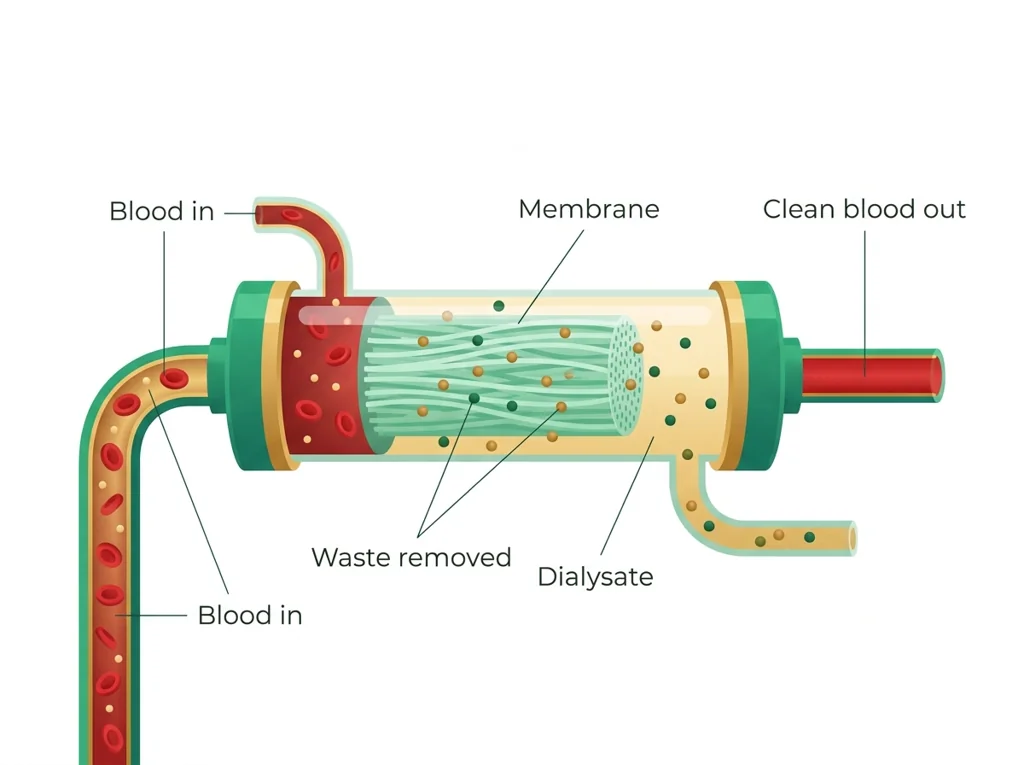
- 4Write one sentence explaining how a normally filters blood and what replaces.
- 5Recommend a donor for your recipient and back it with evidence using the words and .
- 6Add one question for the Monday allocation debate about how organs should be prioritized among patients.
- • You'll be able to explain how replaces failing kidney function.
- • You'll be able to use blood type and data to find a transplant match.
- • You'll be able to connect a result to risk.
Open any day for its full lesson, the work due that day, and guided notes.
Written final stance on kidney allocation priority, with a one-sentence reason and a one-sentence rebuttal to the competing stakeholder.
Simulation : waste-level time series, each donor-recipient pair's match count and result (positive or negative), and -risk flags with explanations.
Compatibility table ranking donors by match score, plus a written immune- explanation and benefit/risk note.
Allocation CER recommending a specific patient for a donor kidney, citing the result and urgency data, with reasoning explaining why competing evidence is outweighed.
Written final stance on emerging-intervention pursuit and governance, with a one-sentence reason and a one-sentence rebuttal to the opposing argument.
- Today matters because a single good match can give someone years of life, and a bad one can fail fast.
- Goal for today: use real-style compatibility data to recommend a match and explain why it should hold.
- Monday's debate is allocation: with more patients than organs, how should the waiting list be ordered?
- Your matching recommendation and dataset work are graded in the PLTW course shell, so finalize them there.
Do this: Advance the Unit 4 organ-transplant benchmark by submitting your data-backed donor match recommendation on the class site.
- • The is the kidney's filtering unit, and takes over filtering when kidneys fail.
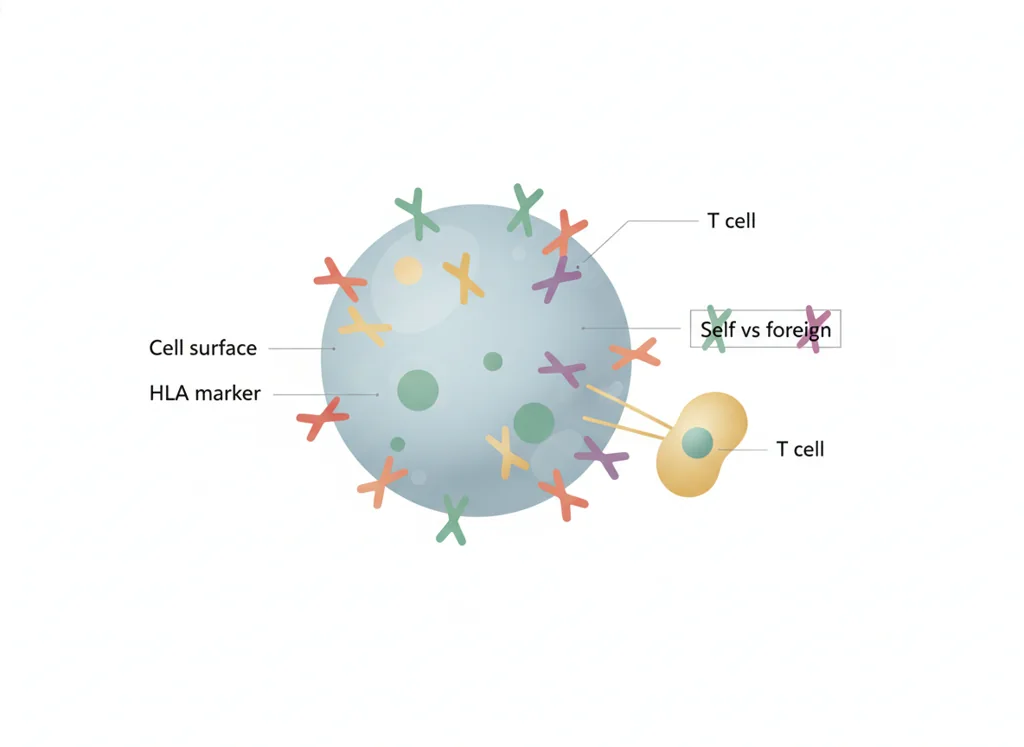
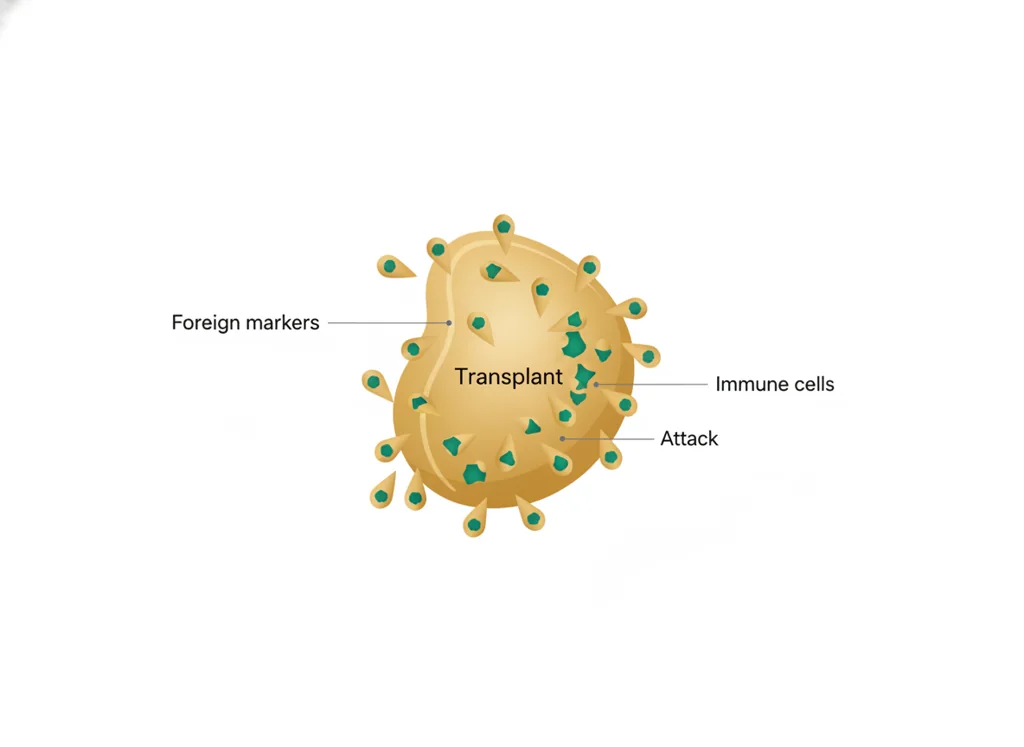
- • Blood type and matching reduce the chance of transplant .
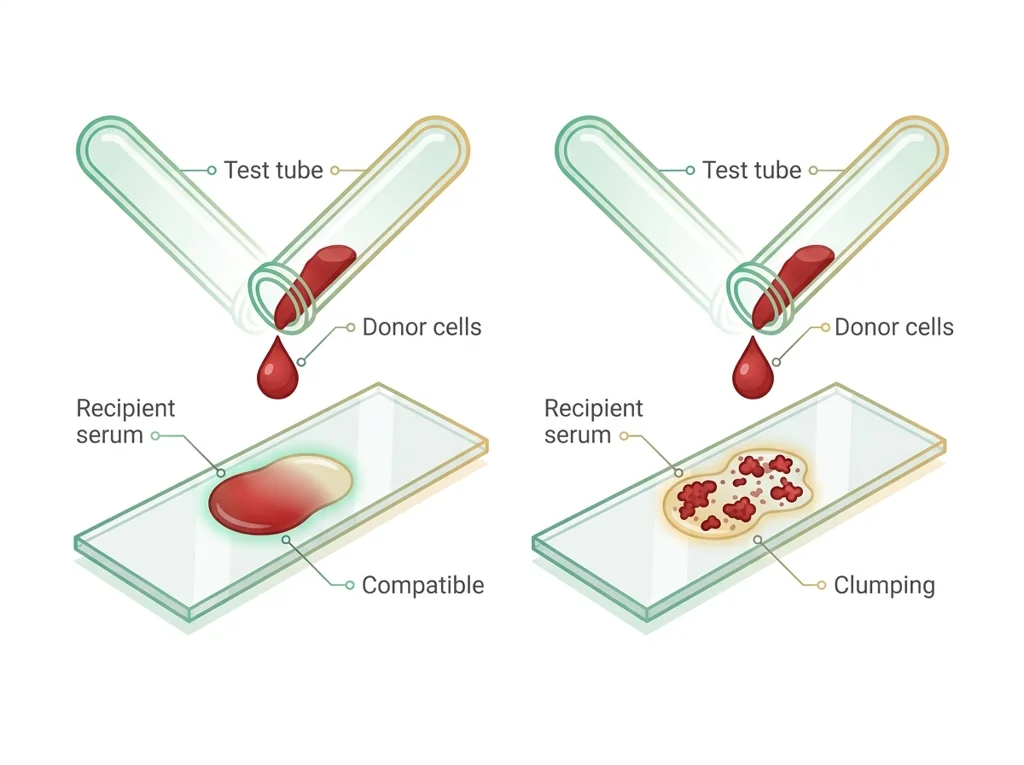
- • A checks whether a recipient's immune system reacts to a specific donor.
- • Use compatibility data to identify a transplant match.
- • Explain how a result relates to risk.
📋 Tracker evidence due this week: your compatibility dataset analysis and donor match recommendation submitted on the class site.
All PLTW activities are completed inside the PLTW course environment: this page only gives direction.
Use this chart to keep your place. Nothing on it is turned in through the portal.
| Day | Work | Turn in |
|---|---|---|
| Monday · Mon, Dec 14 | Allocation debate | Written final stance on kidney allocation priority, with a one-sentence reason and a one-sentence rebuttal to the competing stakeholder. |
| Tuesday · Tue, Dec 15 | Dialysis and matching simulation | Simulation data table: dialysis waste-level time series, each donor-recipient pair's HLA match count and crossmatch result (positive or negative), and rejection-risk flags with explanations. |
| Wednesday · Wed, Dec 16 | Compatibility and rejection | Compatibility table ranking donors by HLA match score, plus a written immune-rejection explanation and immunosuppression benefit/risk note. |
| Thursday · Thu, Dec 17 | Allocation CER | Allocation CER recommending a specific patient for a donor kidney, citing the crossmatch result and urgency data, with reasoning explaining why competing evidence is outweighed. |
| Friday · Fri, Dec 18 | Emerging-tech debate | Written final stance on emerging-intervention pursuit and governance, with a one-sentence reason and a one-sentence rebuttal to the opposing argument. |
- M: allocation debate
- T: renal data
- W: comparison
- Th: compatibility table
- F: allocation CER
Turn in: Kidney function, dialysis, blood / HLA matching, rejection, allocation ethics. weekly work due Organ allocation argument.
Go to Schoology to turn this in.
Submit one PDF. Schoology attaches your name to your upload; on the page itself, write your period and code. Name the file: FirstName LastName - Assignment Title - YYYY-MM-DD.pdf.
Open Schoology PDF upload helpIf you cannot get in, see Mr. Mendoza. Do not skip the work.
5 panels from the illustrated semester.



Fiction. There is no such student. The lessons, labs and dates are the real planned course; the student, the classmates and the conversations are invented.
This explainer accompanies the PLTW lab protocol: watch it before lab.
Most days, this class is your PLTW coursework: and PLTW is online and individual. So being out usually just means doing exactly what we did in class, from home.
Open Clever, then myPLTWSign in to Clever with your district Microsoft account to open Schoology or myPLTW. Follow today's posted steps. If myPLTW will not open, use the posted alternative and tell Mr. Mendoza. Turn in your completed work through the Schoology assignment.
You can't do those from home: do this instead: Compatibility dataset.
Class still runs. A substitute will post today's plan: complete the online activity above; it's built to be self-guided. Need the concept taught without a teacher? Use this authoritative explainer:
MedlinePlus: Dialysis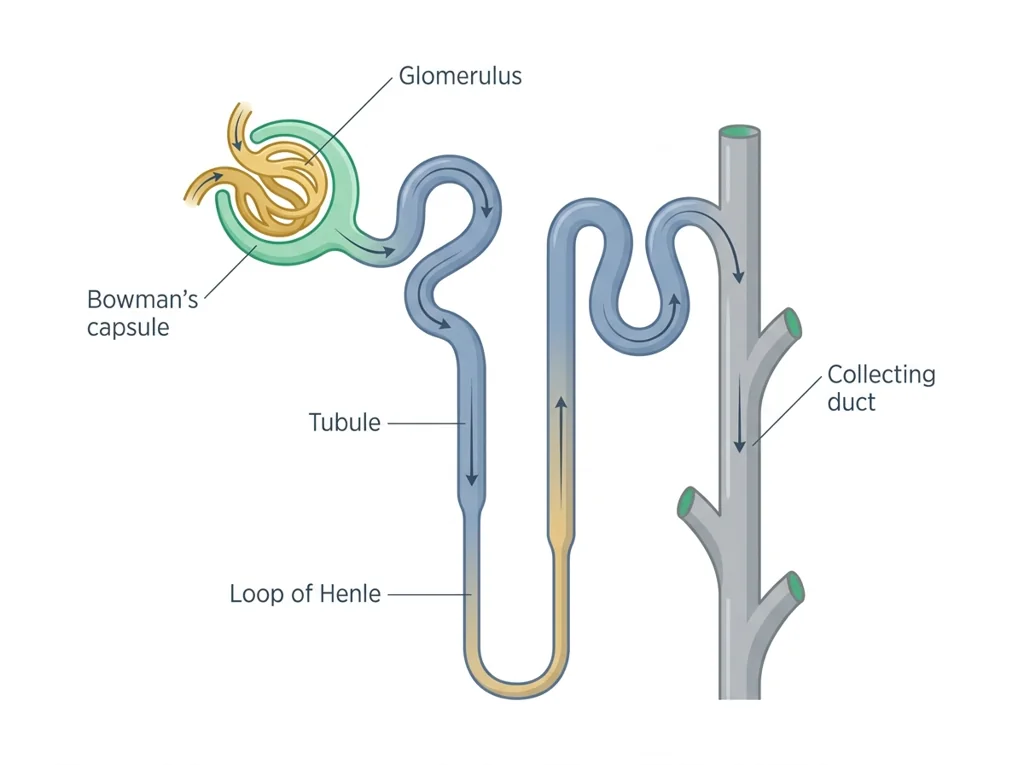
Classroom documents for this lesson are posted in Schoology. Open Clever, then Schoology, and find each one by the name shown on its card.
Use this for optional reserve or extra-credit work after the required class lesson is complete.
Use this for optional reserve or extra-credit work after the required class lesson is complete.
Use this for optional reserve or extra-credit work after the required class lesson is complete.
Sign in to Clever with your district Microsoft account to open Schoology or myPLTW. Follow today's posted steps. If myPLTW will not open, use the posted alternative and tell Mr. Mendoza. Turn in your completed work through the Schoology assignment.