
Biopsy, imaging, staging, chemo, radiation, targeted therapy, response, side effects.
Your PLTW coursework: Medical Interventions ▸ Unit 3: How to Conquer Cancer ▸ Lesson 3.1 Detecting Cancer / Lesson 3.2 Reducing Your Risk / Lesson 3.3 Treating Cancer / Lesson 3.4 Building a Better Cancer Treatment ▸ "Activity 3.1.2 Diagnostic Imaging", "Project 3.2.2 Skin Cancer Prevention", "Project 3.3.1 Diary of a Cancer Patient", "Activity 3.4.3 Clinical Trials"
What to do if absent- CER:
- Claim, Evidence, Reasoning: make a claim, back it with evidence, explain your reasoning.
- SOP:
- Standard Operating Procedure, the exact steps to follow (especially in a lab).
- Tracker:
- Your PLTW progress log where you record completed evidence.
- myPLTW:
- The PLTW course site where you do the online activities. Find it in Clever with your Microsoft sign-in, right next to Schoology.
Use staging and patient outcome data to compare , radiation, and and justify a treatment recommendation.
- 1Open the patient outcome packet in the PLTW course shell and read the staging key before reviewing any case.
- 2For one patient, write down the result and the stage, then say in one sentence what the stage means.
- 3Make a quick three-column note comparing , radiation, and with one effect and one each.
- 4Find the response data for two patients and circle which therapy showed the better response.
- 5Write a recommendation for your patient and back it with one piece of outcome evidence using the word .
- 6Add one question for the Monday clinical-trial-access debate about who can join experimental treatments.
- • You'll be able to explain what staging tells a care team.
- • You'll be able to compare , radiation, and .
- • You'll be able to justify a treatment choice using patient response data.
Open any day for its full lesson, the work due that day, and guided notes.
Two-column table comparing and , with qualifying-patient markup and resistance explanation.
Notebook entry for Project 3.2.2: ABCDE notes, your three-column risk table, your written experimental procedure, both filled percent-coverage tables, and the claim your plate set supports with its stated ceiling. The skin type table and the 5-fluorouracil summary are optional.
- Today matters because diagnosing is only step one; the real work is choosing a treatment that fits the patient.
- Goal for today: read staging and response data and turn it into a defensible treatment recommendation.
- Monday's debate is clinical-trial access: when standard care runs out, who gets a shot at experimental therapy?
- Your case analysis and recommendation are graded from what you turn in, so submit them on the class site.
Do this: Advance the Unit 3 -treatment benchmark by submitting your data-backed treatment recommendation on the class site.
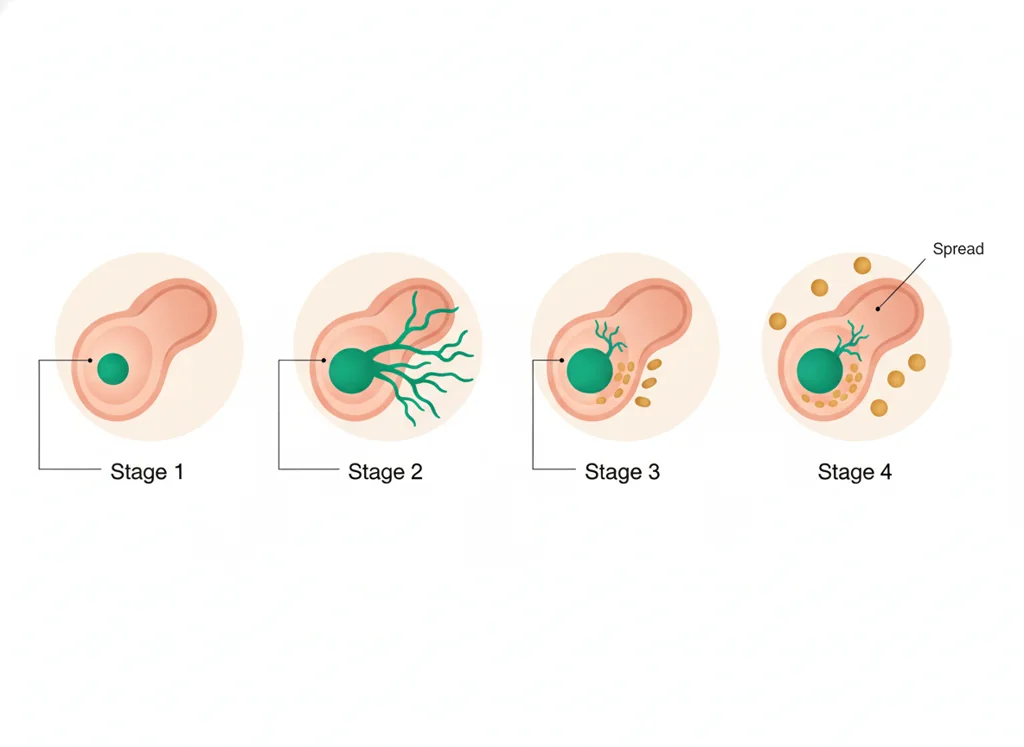
- • A samples so it can be examined, and staging describes how far has spread.
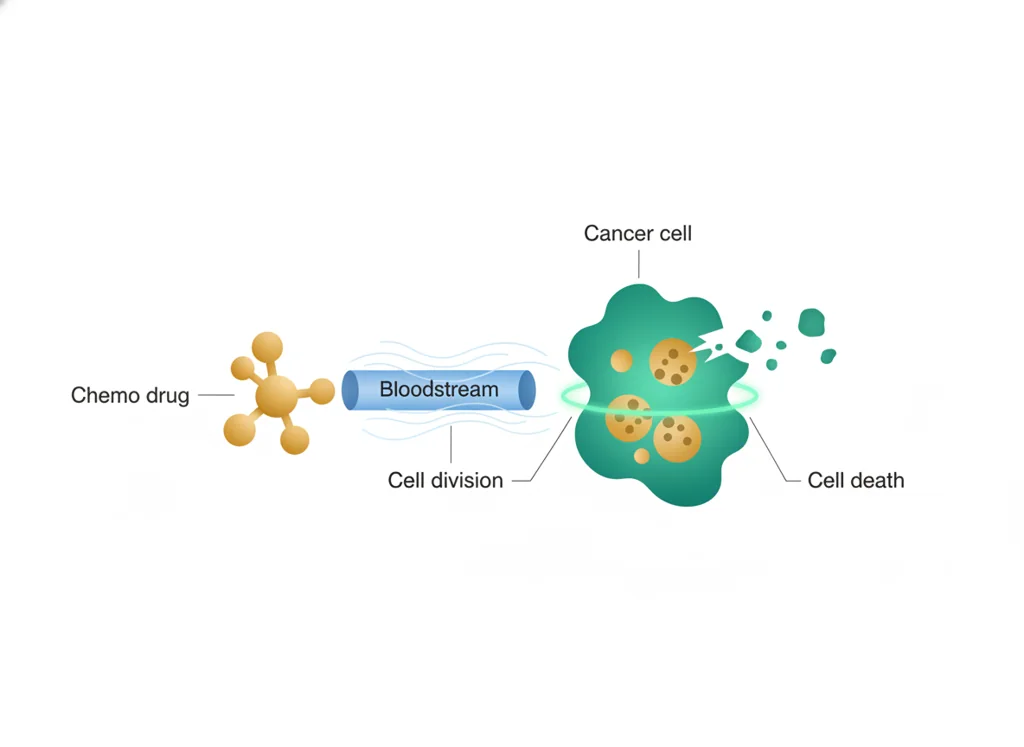
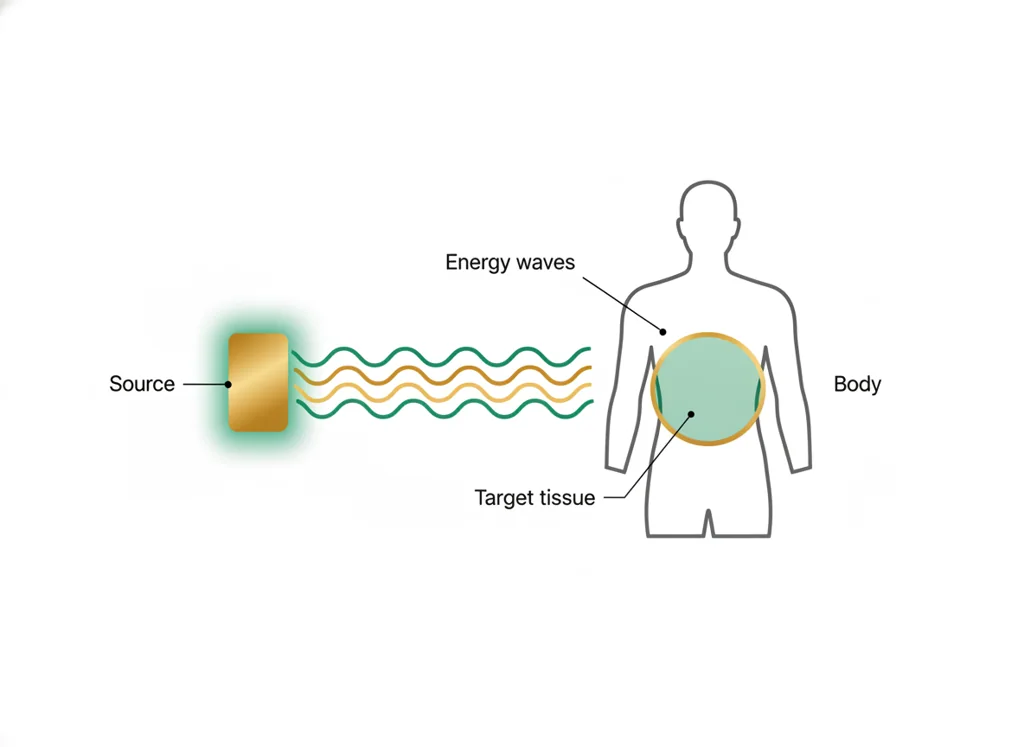
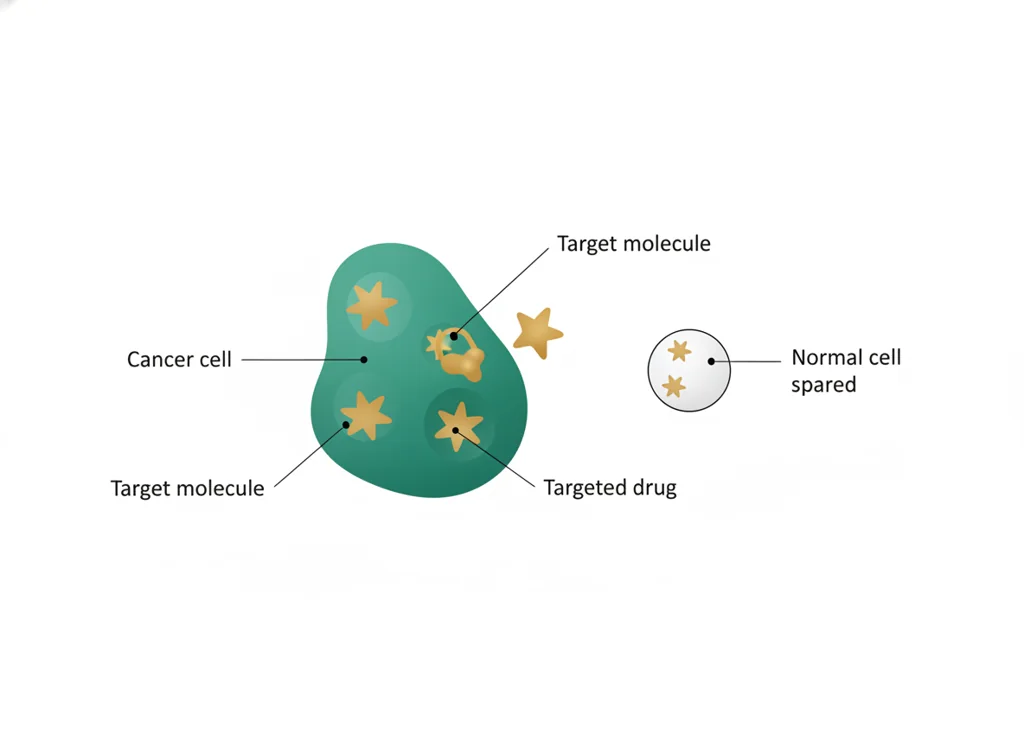
- • and radiation harm fast-dividing cells while aims at specific features.
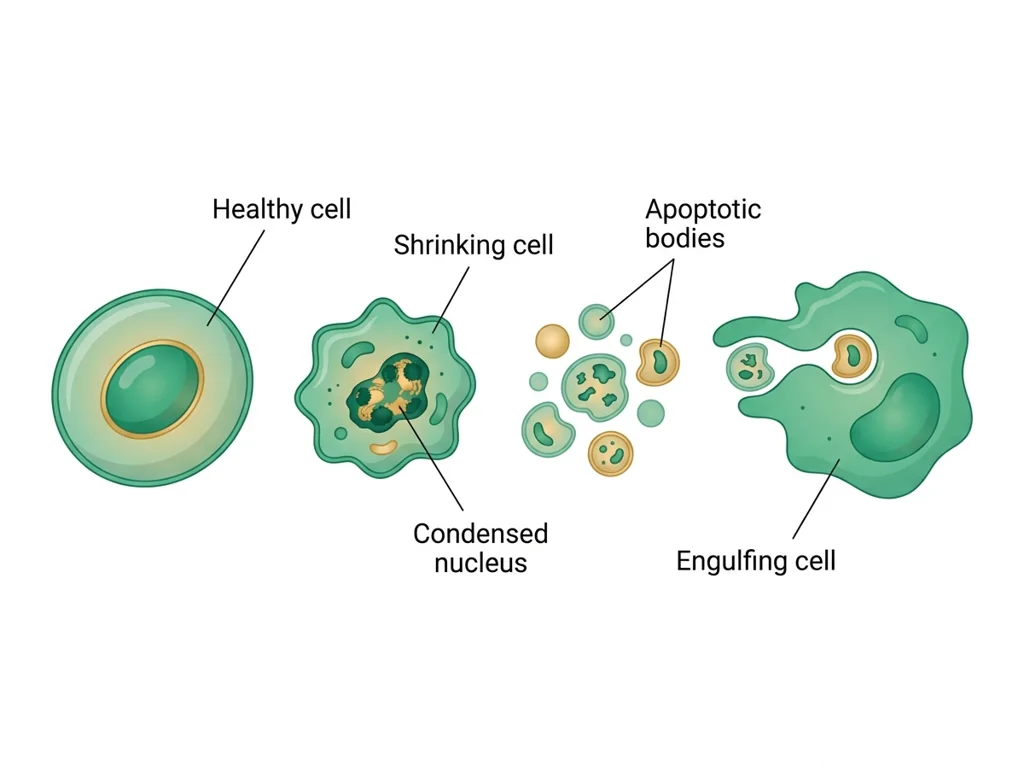
- • is programmed cell death that many treatments try to trigger in cells.
- • Interpret a stage to guide a .
- • Compare treatment options using patient response data.
📋 Tracker evidence due this week: your staged patient case with a data-backed treatment recommendation submitted to the class site.
All PLTW activities are completed inside the PLTW course environment: this page only gives direction.
Use this chart to keep your place. Nothing on it is turned in through the portal.
| Day | Work | Turn in |
|---|---|---|
| Monday · Mon, Nov 23 | Targeted therapy | Two-column table comparing targeted therapy and chemotherapy, with qualifying-patient markup and resistance explanation. |
| Tuesday · Tue, Nov 24 | Skin cancer risk and the DNA repair plate lab | Notebook entry for Project 3.2.2: ABCDE notes, your three-column risk table, your written experimental procedure, both filled percent-coverage tables, and the claim your plate set supports with its stated ceiling. The skin cancer type table and the 5-fluorouracil summary are optional. |
- M: trial access debate
- T: diagnosis evidence
Turn in: Biopsy, imaging, staging, chemo, radiation, targeted therapy, response, side effects. weekly work due Cancer treatment recommendation memo.
Go to Schoology to turn this in.
Submit one PDF. Schoology attaches your name to your upload; on the page itself, write your period and code. Name the file: FirstName LastName - Assignment Title - YYYY-MM-DD.pdf.
Open Schoology PDF upload helpIf you cannot get in, see Mr. Mendoza. Do not skip the work.
1 panel from the illustrated semester.
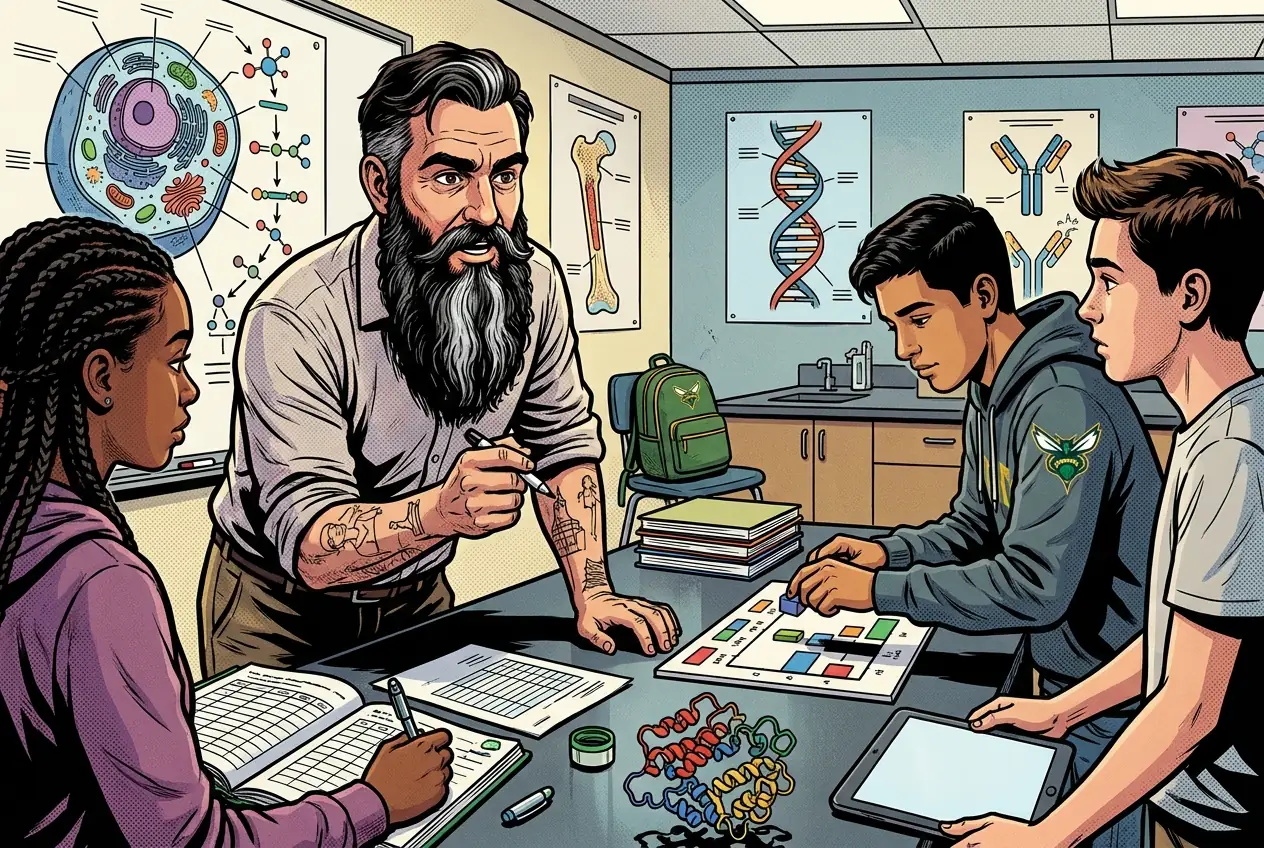
Fiction. There is no such student. The lessons, labs and dates are the real planned course; the student, the classmates and the conversations are invented.
Most days, this class is your PLTW coursework: and PLTW is online and individual. So being out usually just means doing exactly what we did in class, from home.
Open Clever, then myPLTWSign in to Clever with your district Microsoft account to open Schoology or myPLTW. Follow today's posted steps. If myPLTW will not open, use the posted alternative and tell Mr. Mendoza. Turn in your completed work through the Schoology assignment.
You can't do those from home: do this instead: Patient outcome packet.
Class still runs. A substitute will post today's plan: complete the online activity above; it's built to be self-guided. Need the concept taught without a teacher? Use this authoritative explainer:
National Cancer Institute: Types of cancer treatment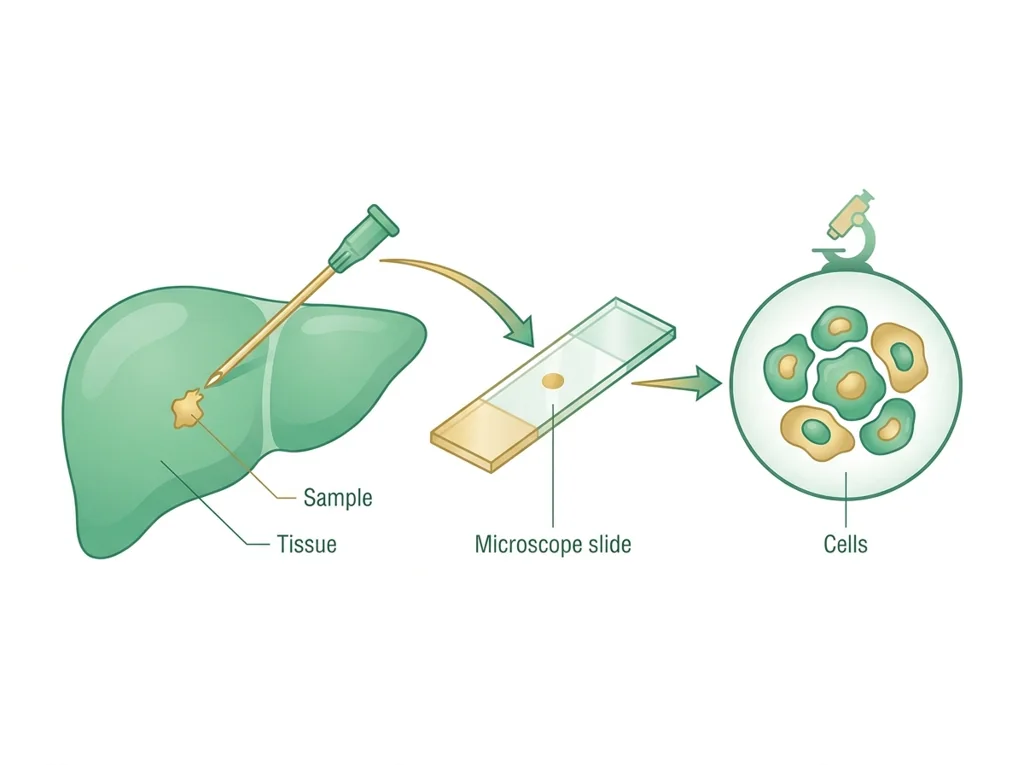
Classroom documents for this lesson are posted in Schoology. Open Clever, then Schoology, and find each one by the name shown on its card.
Open this when the class reaches this activity and use it to complete the required lesson artifact.
Use this if you were absent, got stuck, or need another pass before you submit the lesson artifact.
Sign in to Clever with your district Microsoft account to open Schoology or myPLTW. Follow today's posted steps. If myPLTW will not open, use the posted alternative and tell Mr. Mendoza. Turn in your completed work through the Schoology assignment.