
Hear it. Describe it. Explain it.
Today's Lesson · Tue 10/13 · Wk8 · Charlie's vital signs: check her numbers and find what changed
Open today's complete lesson in Schoology (opens in a new tab)Follow that lesson for today's required work and what to turn in. Use the downloads below when its steps ask you to analyze sounds.
Download the named heart, lung and blood-pressure sounds, then use the illustrated guide to connect what you hear to its source in the body and what a physician would investigate. These 25 synthesized teaching simulations have not been clinically validated. They support comparison practice and cannot establish a diagnosis.
For vital-signs practice: begin with the complete staged blood-pressure measurement and the Korotkoff phase examples. Follow the listening guide alongside the sound; the complete example plays once.
Listen at a comfortable volume with headphones if available. Replay the same example before comparing it. Describe timing, pitch and sound quality before interpreting it. If the classroom stethoscope gives a faint or unclear sound, record "not clearly heard" and use the simulation for the assigned comparison. Do not invent an observation.
Open all 25 named MP3s: preview or download
Lung sounds
Normal vesicular breath sounds (simulated)
LUNG_01_Normal_Vesicular_SIMULATED.mp3
Normal bronchovesicular breath sounds (simulated)
LUNG_02_Normal_Bronchovesicular_SIMULATED.mp3
Normal bronchial and tracheal breath sounds (simulated)
LUNG_03_Normal_Bronchial_Tracheal_SIMULATED.mp3
Expiratory wheeze (simulated)
LUNG_04_Expiratory_Wheeze_SIMULATED.mp3
Biphasic wheeze (simulated)
LUNG_05_Biphasic_Wheeze_SIMULATED.mp3
Fine late inspiratory crackles (simulated)
LUNG_06_Fine_Late_Inspiratory_Crackles_SIMULATED.mp3
Coarse inspiratory crackles (simulated)
LUNG_07_Coarse_Inspiratory_Crackles_SIMULATED.mp3
Rhonchi (simulated)
LUNG_08_Rhonchi_SIMULATED.mp3
Inspiratory stridor (simulated)
LUNG_09_Inspiratory_Stridor_SIMULATED.mp3
Pleural friction rub (simulated)
LUNG_10_Pleural_Friction_Rub_SIMULATED.mp3
Normal versus reduced air entry comparison (simulated)
LUNG_11_Normal_vs_Reduced_Air_Entry_COMPARISON_SIMULATED.mp3
Heart sounds
Normal S1 and S2 at 75 beats per minute (simulated)
HEART_01_Normal_S1_S2_75bpm_SIMULATED.mp3
Physiological respiratory split of S2 (simulated)
HEART_02_Physiological_Respiratory_Split_S2_SIMULATED.mp3
Additional S3 heart sound (simulated)
HEART_03_Additional_S3_SIMULATED.mp3
Additional S4 heart sound (simulated)
HEART_04_Additional_S4_SIMULATED.mp3
Systolic ejection crescendo-decrescendo murmur (simulated)
HEART_05_Systolic_Ejection_Crescendo_Decrescendo_SIMULATED.mp3
Holosystolic murmur (simulated)
HEART_06_Holosystolic_Murmur_SIMULATED.mp3
Early diastolic decrescendo murmur (simulated)
HEART_07_Early_Diastolic_Decrescendo_Murmur_SIMULATED.mp3
Mid-diastolic low rumble (simulated)
HEART_08_Mid_Diastolic_Low_Rumble_SIMULATED.mp3
Pericardial friction rub (simulated)
HEART_09_Pericardial_Friction_Rub_SIMULATED.mp3
Blood-pressure sounds
Korotkoff phase 1: first repetitive taps, systolic onset (simulated)
BP_01_Korotkoff_Phase_1_First_Repetitive_Taps_Systolic_Onset_SIMULATED.mp3
Korotkoff phase 2: swishing (simulated)
BP_02_Korotkoff_Phase_2_Swishing_SIMULATED.mp3
Korotkoff phase 3: clearer taps (simulated)
BP_03_Korotkoff_Phase_3_Clearer_Taps_SIMULATED.mp3
Korotkoff phase 4: muffling (simulated)
BP_04_Korotkoff_Phase_4_Muffling_SIMULATED.mp3
Complete staged blood-pressure measurement, 120/80 mm Hg, plays once (simulated)
BP_05_Complete_120_80_Staged_Measurement_NONLOOP_SIMULATED.mp3
Earlier portal reference material (before the class was repaced)
Use the Schoology lesson above for today's required work; this older reference follows an earlier schedule.
Vital signs practical
This page has four parts, in the order you use them. Part 1 is what you need to know. Part 2 says what to do, in plain English. Part 3 shows the work done once on a case that is not yours. Part 4 is your own work and where to turn it in.
Open your materials, follow the steps, then turn in your work.
Collect vital signs following an SOP and record them accurately in a simulated EMR.
Check you have the right sheet: the top of it prints today's portal day, Vital signs practical. The PLTW activity itself is in myPLTW and is not posted here.
Optional: listen or watch a unit review▸
Part 1 of 4 · Background and definitions▸
💡 Big idea: Accurate documentation depends on -correct technique, so that a single measurement error does not become a permanent chart value that drives the wrong treatment.
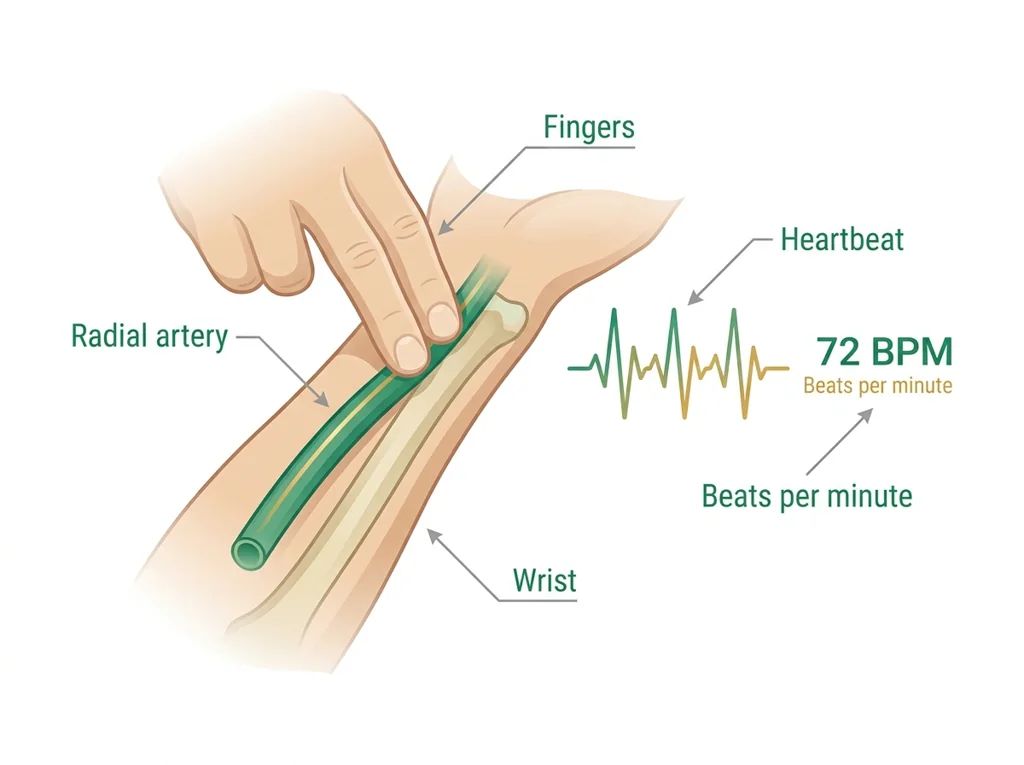
- • is measured by palpating the radial with two fingers for 15 seconds, multiplied by 4, three times, then averaged (the protocol on your sheet); do not use your thumb, because you may feel your own pulse instead of the patient's.
- • rate is counted for 30-60 seconds without telling the patient, because awareness of breathing changes its rate.
- • cuff size matters: an incorrectly sized cuff produces inaccurate readings; the bladder should encircle at least 80% of the upper arm.
protects individual medical privacy by default, and it permits disclosures required by law, such as mandatory reporting of certain diseases, so that a silent outbreak cannot endanger the whole community.
Accurate documentation depends on -correct technique, so that a single measurement error does not become a permanent chart value that drives the wrong treatment.
Driving question: Two students measure the same partner's . One uses two fingers on the radial ; the other uses a thumb. They get different numbers. Which one is wrong, and why?
What you already know: protects individual medical privacy by default, and it permits disclosures required by law, such as mandatory reporting of certain diseases, so that a silent outbreak cannot endanger the whole community.
New idea: Accurate documentation depends on -correct technique, so that a single measurement error does not become a permanent chart value that drives the wrong treatment.
Visual or model: No figure is attached to this lesson. The readings, the worked example and E1 to E3 carry the evidence.
- Observe or measure the relevant feature in vital signs practical.
- Organize the observation with a stable evidence ID.
- Apply this rule: Define variables, controls, sampling, units, and the analysis plan before interpreting a result; analysis cannot repair biased or inconsistent measurement.
- Choose the option the evidence supports and state the limit of the conclusion.
Real biomedical example: Two students measure the same partner's . One uses two fingers on the radial ; the other uses a thumb. They get different numbers. Which one is wrong, and why?
What the evidence supports: E1 to E3 support the daily take-home when the response meets the stated success criteria.
What it cannot prove: The package does not support claims beyond this lesson's or any real patient diagnosis.
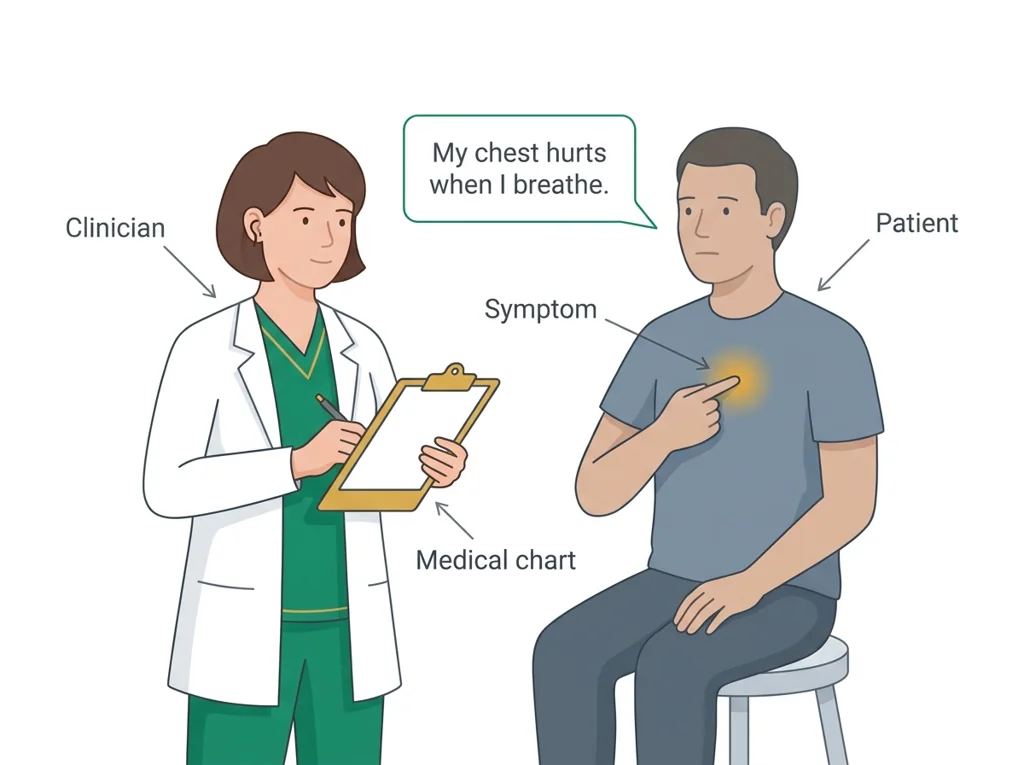
- • : The main symptom or reason, stated in the patient's own words, that brings a person to seek medical care.
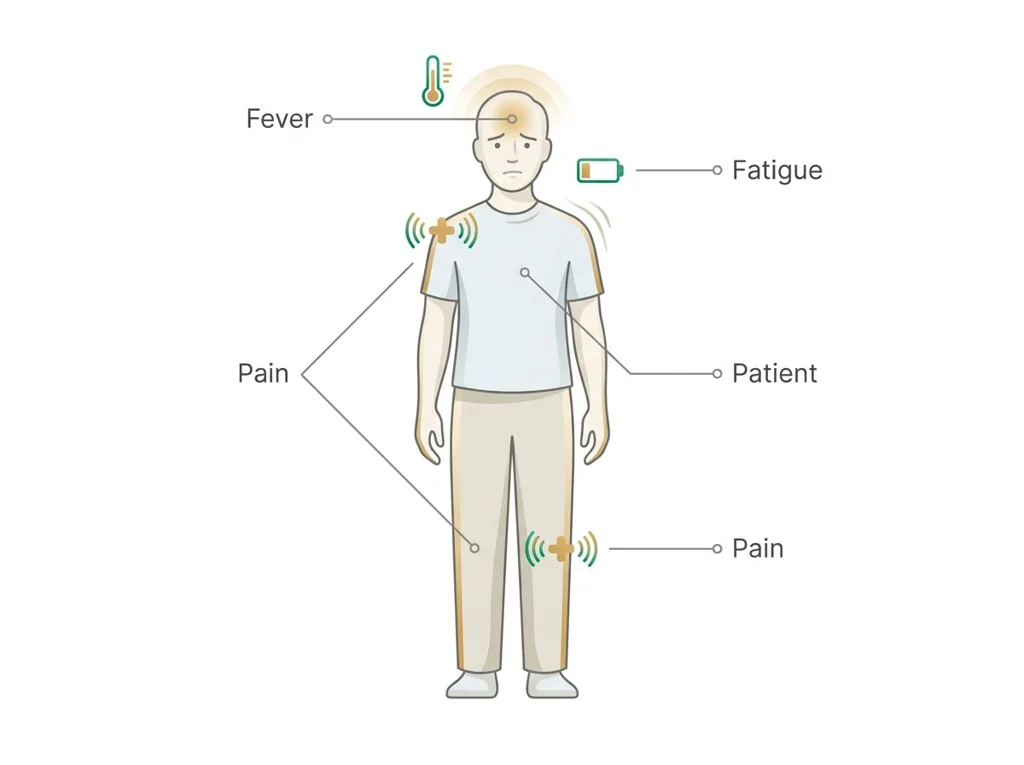
- • symptom: A subjective feeling of illness that a patient reports, such as pain or fatigue, which cannot be directly measured by an observer.
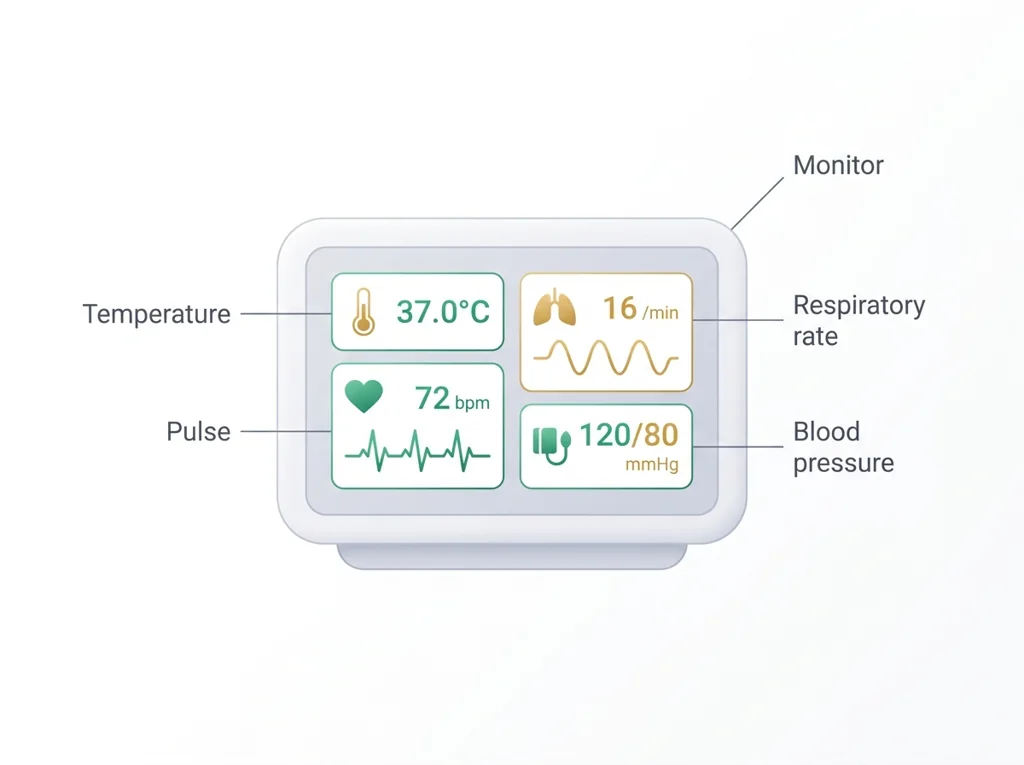
- • : A basic measurement of body function, such as temperature, , breathing rate, and , used to assess a patient's health.
- • : The rhythmic expansion of an you can feel as the heart pumps blood, used to measure how many times the heart beats per minute.
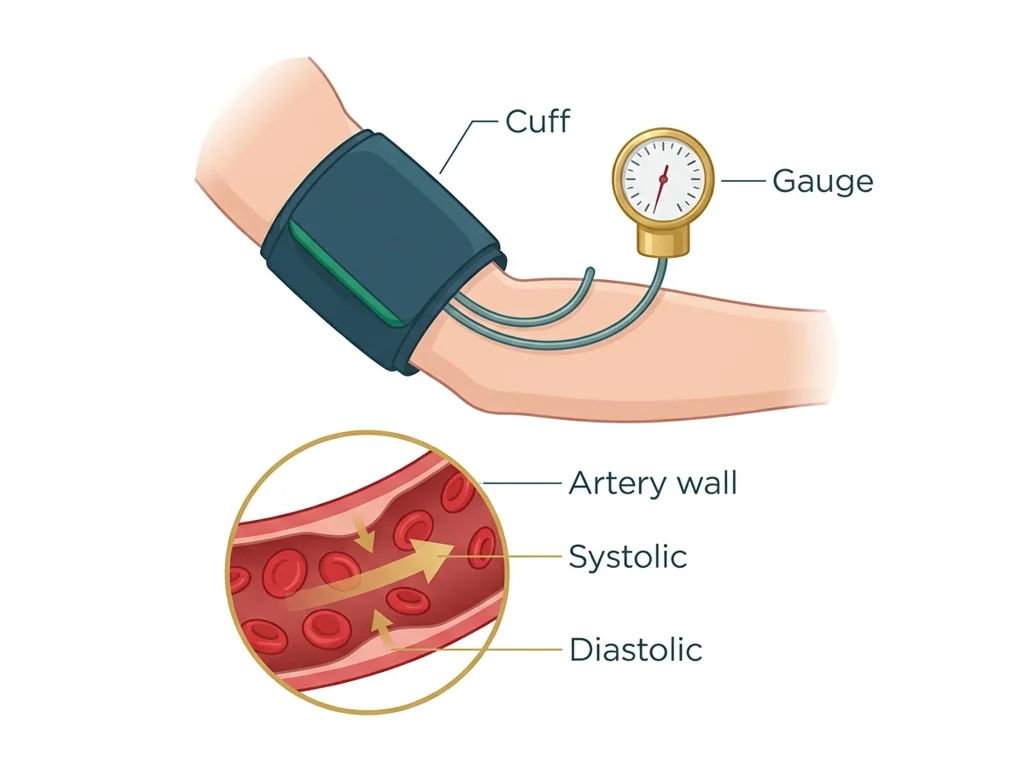
- • : The force of blood pushing against walls, written as systolic over diastolic, with a normal adult reading below 120 over 80 mmHg.
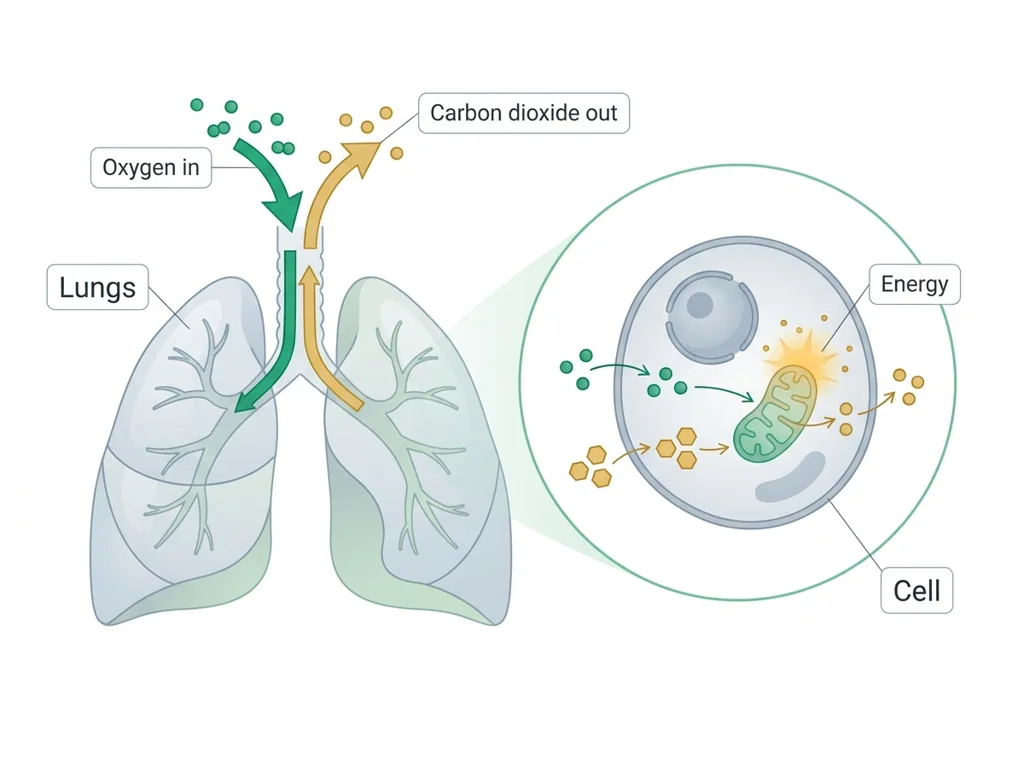
- • : The exchange of oxygen and carbon dioxide between the body and air, and the cellular process that uses oxygen to release energy from nutrients.
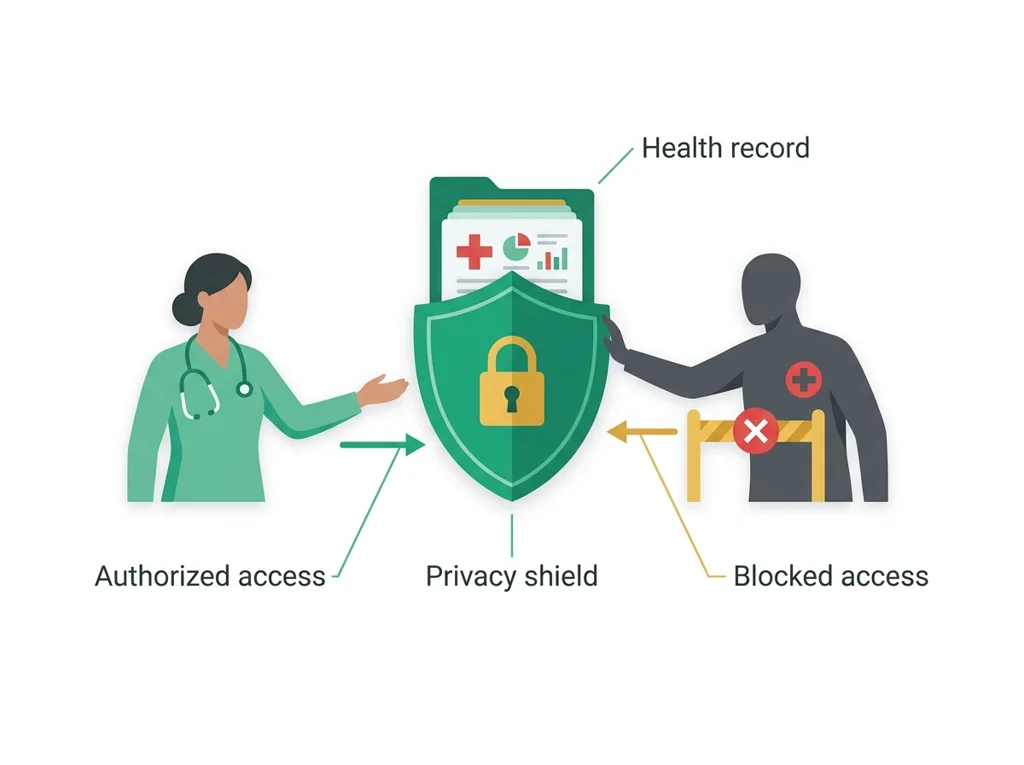
- • : A U.S. law that protects the privacy and security of patients' health information and limits who may see or share it.
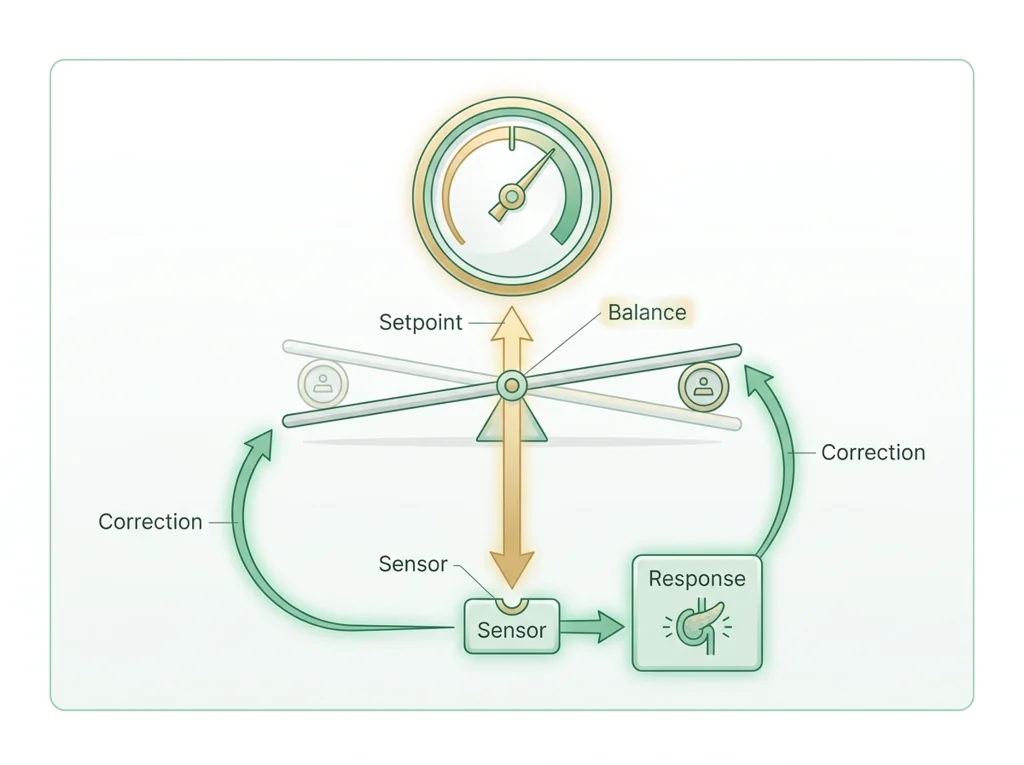
- • : The body's ongoing process of keeping internal conditions like temperature, blood sugar, and pH steady despite changes in the outside environment.
Use it now: Choose one decision option. Cite E1 and E3, then explain how the rule connects the evidence to your choice. This is thinking practice for the one turn-in named under Turn in, not a second submission.
Go further, optional: The source links below are optional enrichment. Every fact required for today's local evidence decision appears in this lesson package.
Cardiovascular structure, pressure, electrical activity, and blood flow are related, so measurements must be interpreted in the context of the system and the limits of the instrument.
Limit: A classroom tracing, model, , or single measurement cannot diagnose a cardiovascular condition.
Define variables, controls, sampling, units, and the analysis plan before interpreting a result; analysis cannot repair biased or inconsistent measurement.
Limit: A well-organized classroom study can still be limited by , measurement quality, confounding, and the population represented.
You can collect vital signs following an .
Limit: E3 defines the classroom product or success criterion. It is not independent scientific evidence and cannot justify a clinical or causal claim.
Today's decision · Simulated classroom evidence scenario
Your role: biomedical investigator
Decision: Your team must decide what the evidence from vital signs practical supports before submitting the labeled and result claim named on today's page.
- • Either number works, since both students counted for the full time and that is what makes a accurate.
- • Recount both pulses with two fingers before charting, since we cannot yet tell technique error from a real difference.
- • Trust the two-finger radial reading, because the names the finger and the cuff size for a reason.
Response: State one choice, cite at least two evidence IDs, explain the rule that connects them, and add one limitation. Use it inside the one turn-in named under Turn in; it is not a separate submission.
Claim ceiling: Today's evidence supports a classroom claim about vital signs practical. It cannot prove causation, diagnose a real patient, or justify action outside this room.
Reason for review: Your team must decide what the evidence from vital signs practical supports before submitting the labeled and result claim named on today's page.
Context: Accurate clinical data depends on following a standard procedure, because a small technique error becomes a permanent number in a patient's record that others will act on.
- • T1: Read the technique rules on the student sheet (your vital-signs : , , , temperature) and gather the measurement tools.
- • T2: Measure , , temperature, and on a partner.
- • T3: Record each reading with correct units in the simulated EMR.
- • T4: Repeat one measurement to check precision and note any difference.
- • T5: Record one limitation and one error source for each technique.
- • E1: Cardiovascular structure, pressure, electrical activity, and blood flow are related, so measurements must be interpreted in the context of the system and the limits of the instrument.
- • E2: Define variables, controls, sampling, units, and the analysis plan before interpreting a result; analysis cannot repair biased or inconsistent measurement.
- • E3: You can collect vital signs following an .
Measurements: Use only the measurements, units, graph, or counts supplied in today's task. No additional patient measurement is implied.
Uncertainty: This is a composite classroom scenario. Missing history, measurements, or confirmation tests remain unknown and limit the conclusion.
Beats per minute = beats in 15 seconds times 4: 19 x 4 = 76, 20 x 4 = 80, 21 x 4 = 84 bpm. Record all three, then the average, (76 + 80 + 84) / 3 = 80 bpm, and note the 8 bpm spread as your precision check.
You count a partner's radial for 15 seconds three times: 19, 20 and 21 beats. What is each count in beats per minute, and what do you record?
A resting adult usually sits between 60 and 100 bpm. A count outside that range is worth a recount before you write it down; a 15-second count that gives an odd number of bpm means the multiplication slipped.
Convert each of your three 15-second counts to beats per minute, record all three, their average and their spread, and count for a full 60 seconds as the sheet says.
Students often think as long as you count for the full time, it does not matter which finger or which spot you use. The trap: do not use your thumb, because you may feel your own instead of the patient's, and an incorrectly sized blood-pressure cuff skews the result, which is why the specifies technique down to the finger and the cuff size.
- CER:
- Claim, Evidence, Reasoning: make a claim, back it with evidence, explain your reasoning.
- SOP:
- Standard Operating Procedure, the exact steps to follow (especially in a lab).
- Tracker:
- Your PLTW progress log where you record completed evidence.
- myPLTW:
- The PLTW course site where you do the online activities. Find it in Clever with your Microsoft sign-in, right next to Schoology.
Tap the speaker to hear a term. Add two of these to your notebook glossary with a definition and an example in your own words.
Pick just 2 or 3 words from today and make them yours: write what each one means in your own words, name the context clue or evidence that helped, then give one example from what you actually did in Vital signs practical. Try your own words first; the glossary is there if you get stuck. This is voluntary and counts as extra credit, so keep it short.
Saved on this device. Show Mr. Mendoza or add these to your notebook glossary to claim the extra credit.
Part 2 of 4 · Directions in plain English▸
2.1 Open your materials
Use the materials named in the first step below. Open lesson resources.
2.2 Start the work
Read the technique rules on the student sheet (your vital-signs SOP: pulse, respiration, blood pressure, temperature) and gather the measurement tools.
Show all 5 required steps
- Read the technique rules on the student sheet (your vital-signs SOP: pulse, respiration, blood pressure, temperature) and gather the measurement tools.
- Measure pulse, respiration, temperature, and blood pressure on a partner.
- Record each reading with correct units in the simulated EMR.
- Repeat one measurement to check precision and note any difference.
- Record one limitation and one error source for each technique.
Lost your place? Check your data table: you should have pulse, respiration, temperature, and blood pressure recorded with units (steps 2 and 3). If those are in, repeat one measurement to check precision (step 4), then log one error source per technique (step 5).
- 0:00Demonstrate vital-sign technique for each of the four measures; class observes correct hand placement and timer use
- 0:15Partner practice: collect all four vital signs following the technique rules on the sheet (plus if a oximeter is out); record each in the simulated EMR template
- 0:45Repeat one measurement; record both values; note the difference and whether it is within acceptable range
- 1:00Record one limitation and one technique-based error source for each measurement in the notebook
- 1:10Review a few EMR entries as a class; identify common documentation errors; preview the analysis lesson that follows
- • Today you are the clinician. Your partner is the patient. Every reading you take goes into a simulated EMR exactly as a real nurse or medical assistant would document it.
- • Three technique rules that cannot be skipped: use two fingers not your thumb for , count respirations without telling your partner so they breathe naturally, and make sure the cuff is the right size.
- • After you take a reading once, you are going to take it again and compare. That comparison tells you your precision. If two readings of the same differ by more than the expected range, something went wrong in the technique.
- • Everything goes in the EMR with units. 72 bpm is not the same as 72. The unit is part of the data.
PLTW connection and today's work
In myPLTW, open Lesson 2.1 Talk to Your Doc and go to Activity 2.1.2 Vital Signs. Record your readings there as you take them.
Today's stopping point: Your measurement plan should be prepared. Today all four vital signs should be measured, recorded with units in the simulated EMR, and repeated once before class ends.
PLTW activity titles identify the course connection. If your account will not open, use the posted materials for today and tell Mr. Mendoza. Do not mark an online activity complete unless you completed it.
Use the turn-in directions in Part 4 of this page. Do not create a second submission unless your teacher asks for one.
Show another explanation or a smaller first step
Need help? Choose a starting point
Finish the assigned lab safely before starting extra practice.
Part 3 of 4 · Worked example▸
This is a parallel case, not your own. Read it for the order of the work, then do your own in Part 4.
EMR entry for a practice partner (simulated values, not yours; your readings will differ):
- Body temperature: 98.4 F. Limitation: a single oral reading does not capture core temperature. Error source: patient had just finished talking, which can cool the mouth.
- Pulse: three 15-second counts x 4: 76, 80, 84 bpm; average 80 bpm. The 8 bpm spread shows normal beat-to-beat variation and fair precision.
- Respiration: 16 breaths/min (counted for a full 60 seconds, without telling the patient). Limitation: counting can be off if the patient is aware. Error source: I started the timer one breath late.
- Blood pressure: 116/78 mmHg (correctly sized cuff). Limitation: one reading does not show a trend. Error source: arm not at heart level can shift the value.
All values include units. The repeat pulse confirms the reading is reliable.
| Vital sign | Value | Unit | Normal range (adult, resting) | Repeat / note |
|---|---|---|---|---|
| Temperature | 98.4 | F | 97.8 to 99.1 | single oral reading |
| Pulse | 80 (76, 80, 84 averaged) | bpm | 60 to 100 | three 15-second counts x 4 |
| Respiration | 16 | breaths/min | 12 to 20 | full 60 seconds, unobserved |
| Blood pressure | 116/78 | mmHg | below 120/80 | correct cuff size |
This model shows the level of evidence and organization needed to complete: A mock electronic medical record entry capturing all four vital signs with values and units, one repeated measurement to check precision, and a noted limitation and error source for each technique.
- Name the variables and include units.
- Enter observations without changing the raw values.
- Check labels, calculations, and patterns before interpreting the data.
Keep the structure. Replace the question, facts, measurements, and evidence. Then recheck units, vocabulary, and whether the conclusion goes beyond the evidence.
Also due today: Turn in the completed EMR template and notebook entry before leaving, in the place today's lesson page names.
A research team lays out its question, variables, controls, sampling plan, measurement record, and analysis before deciding what the data support.
- Which variable is changed or compared?
- Which conditions and measurements must stay consistent?
- Which conclusion is inside the study's evidence boundary?
Define variables, controls, sampling, units, and the analysis plan before interpreting a result; analysis cannot repair biased or inconsistent measurement.
A well-organized classroom study can still be limited by , measurement quality, confounding, and the population represented.
- • Question and variable cards map to the study design.
- • Control and measurement cards map to fair, reproducible data collection.
- • The conclusion card maps to a bounded claim supported by the analysis.
Part 4 of 4 · Your work▸
Check your work before submitting
- I can collect vital signs following an SOP.
- I can record readings with correct units in an EMR.
Before lab work: read the safety rules
- Use a fresh single-use thermometer or probe cover for each person and put it in the waste after one reading; never share an uncovered probe.
- Sanitize stethoscope ear pieces with alcohol wipes before each use; allow 30 seconds to dry before inserting.
- Blood pressure cuffs should not be inflated above 180 mmHg; release pressure immediately if a partner reports discomfort or numbness.
- Students with known circulatory conditions should inform the teacher before the blood pressure station; an alternative measurement activity can be substituted.
- Wash hands before and after any partner-contact measurement activity.
- Any measurement equipment that falls on the floor (stethoscope, cuff) must be sanitized before reuse.
4.1 Turn in your work
DueCheck the Schoology assignment for this day- Hand in
- Simulated EMR record: all four vital signs (plus oxygen saturation if a pulse oximeter is out) with values, units, and the normal range noted; three heart-rate trials averaged; one sentence per vital sign on why it is measured at every visit; one limitation and one error source per technique.
How to submit and name your file
Upload your completed EMR template and notebook entry to the tracker before leaving.
In Schoology, open your course and the assignment for this lesson. Attach your file, select Submit, and check that it appears in the submission.
PDF upload helpYou get two school days for every day you were absent, so this deadline moves with you.
Today's lesson is in Schoology
Each school day has one lesson page in Schoology that holds everything for the day: the goal, the story so far, every table and data value, the numbered steps, and what to turn in. Open it first and work from it. The other rows for this day, if any, are the score line for a paper quiz or test and the John Carroll debate item; they do not add work. Check Schoology for each deadline.
- Today's Lesson · Tue 10/13 · Wk8 · Charlie's vital signs: check her numbers and find what changed(today's lesson page: the goal, the data, the steps, and what to turn in are all on it)
Link will not open? Open Schoology, choose your course and section, and find the title shown above.
- CompleteEvery required part of the artifact is present, nothing left blank.
- AccurateThe science and the data are correct and match the evidence.
- Scientific reasoningYou explain your claim with evidence and reasoning (CER), not just an answer.
- Professional communicationClear, organized, labeled, and written the way a clinician or scientist would.
- SubmittedGo to Schoology to turn this in. Submit one PDF. Schoology attaches your name to your upload; on the page itself, write your period and code. Name the file: FirstName LastName - Assignment Title - YYYY-MM-DD.pdf. If you cannot get in, see Mr. Mendoza. Do not skip the work.
- Error analysis and method · counts doubleName a specific limit of the method and how it moved your result, and compare what you predicted to what happened. "Human error" does not count; say what about the procedure or instrument caused it.
How this lesson connects
Keep using what you learned last class: HIPAA protects individual medical privacy by default, and it permits disclosures required by law, such as mandatory reporting of certain diseases, so that a silent outbreak cannot endanger the whole community. Today: Accurate documentation depends on SOP-correct technique, so that a single measurement error does not become a permanent chart value that drives the wrong treatment.
Practice: try a question, then check your answer▸
Claim ceiling for this check: Today's evidence supports a classroom claim about vital signs practical. It cannot prove causation, diagnose a real patient, or justify action outside this room.
Your partner's pulse should be measured on the radial artery. Which fingers do you use, and why must you never use your thumb?
Write an answer and pick a confidence to unlock the key.
Fast retrieval with instant answers, not the commit-then-reveal check above. Try each from memory first: write what you remember about the earlier units, then check yourself here.
Missed class or ready for more?▸
Run this before you touch the bench. It is built from the real lab procedure, so the decisions you make here are the ones you will make with the equipment in your hands.
I can name the procedure's purpose and the evidence I will record. I can name today's hazards and the control for each: Blood pressure cuffs should not be inflated above 180 mmHg; release pressure immediately if a partner reports discomfort or numbness. My data table is ready before materials are handled.
Finish the checklist before you handle any material.
- • Use a fresh single-use thermometer or probe cover for each person and put it in the waste after one reading; never share an uncovered probe.
- • Sanitize stethoscope ear pieces with alcohol wipes before each use; allow 30 seconds to dry before inserting.
- • Blood pressure cuffs should not be inflated above 180 mmHg; release pressure immediately if a partner reports discomfort or numbness.
- • Students with known circulatory conditions should inform the teacher before the blood pressure station; an alternative measurement activity can be substituted.
- • Wash hands before and after any partner-contact measurement activity.
- • Any measurement equipment that falls on the floor (stethoscope, cuff) must be sanitized before reuse.
- 1Before materials are handled, identify the purpose, variables or comparison, controls, measurement units, and stop-work condition.
- 2Read the technique rules on the student sheet (your vital-signs SOP: pulse, respiration, blood pressure, temperature) and gather the measurement tools.
- 3Measure pulse, respiration, temperature, and blood pressure on a partner.
- 4Record each reading with correct units in the simulated EMR.
- 5Repeat one measurement to check precision and note any difference.
- 6Record one limitation and one error source for each technique.
- 7Record each result in the prepared table before interpreting it. Mark missing, repeated, or invalid results truthfully.
- 8Complete the named cleanup and waste route, remove PPE safely, wash hands when required, and confirm the station is ready for the next group.
| Which trial or sample this row is | What you changed on purpose | What you measured, with units | What you saw, before you explain it | Anything that could make this reading wrong |
|---|---|---|---|---|
Before the procedure, predict the result and cite the rule behind the prediction.
After the procedure, compare the result with the prediction and name one limitation or source of uncertainty.
What today's skills lead to. These are real health-science careers this course builds toward. Tap one to see, on the US Department of Labor's O*NET site, what the job actually involves, what it pays, and how fast it is growing.
Use the John Hay vital-signs simulation to collect , , temperature, and , then enter them into a mock EMR with units and one stated limitation.
John Hay vital-signs simulationUpload your completed EMR template and notebook entry to the tracker before leaving.
Class still runs. Complete today's work as this page describes (it is self-guided). Need the concept taught without a teacher? Use this authoritative explainer:
MedlinePlus: Vital SignsSources: slides, readings, and resources▸
The deck carries the prior idea forward, lets you inspect an analogy, maps the rule to biology, and ends with the same evidence decision and exit ticket used on this page.
Play the cold open at the start of the unit to set the scene. Each recording is AI-generated and simulated (fictional callers, no real people or student data).
Hand-picked readings and interactives for this lesson, from authoritative open organizations and PLTW's own public course outline.
This week
My Progress dashboard